Tag Archives: Sony Xperia Z Tablet

Sony Xperia Z Tablet – Part 3

Welcome to my third part of my review of the Sony Xperia Z tablet. To read previous post click here.

So today, I thought I would look closer at the hardware and compare its size to the iPad Mini and HTC One. So first lets have a look around the device.
2013-06-17 08.23.00
On the front you have top right the Sony logo, top centre the front 2.2mp camera and just left of the camera the ambient sensor. Apart from that, there isn’t anything else on the front.
2013-06-17 08.26.30
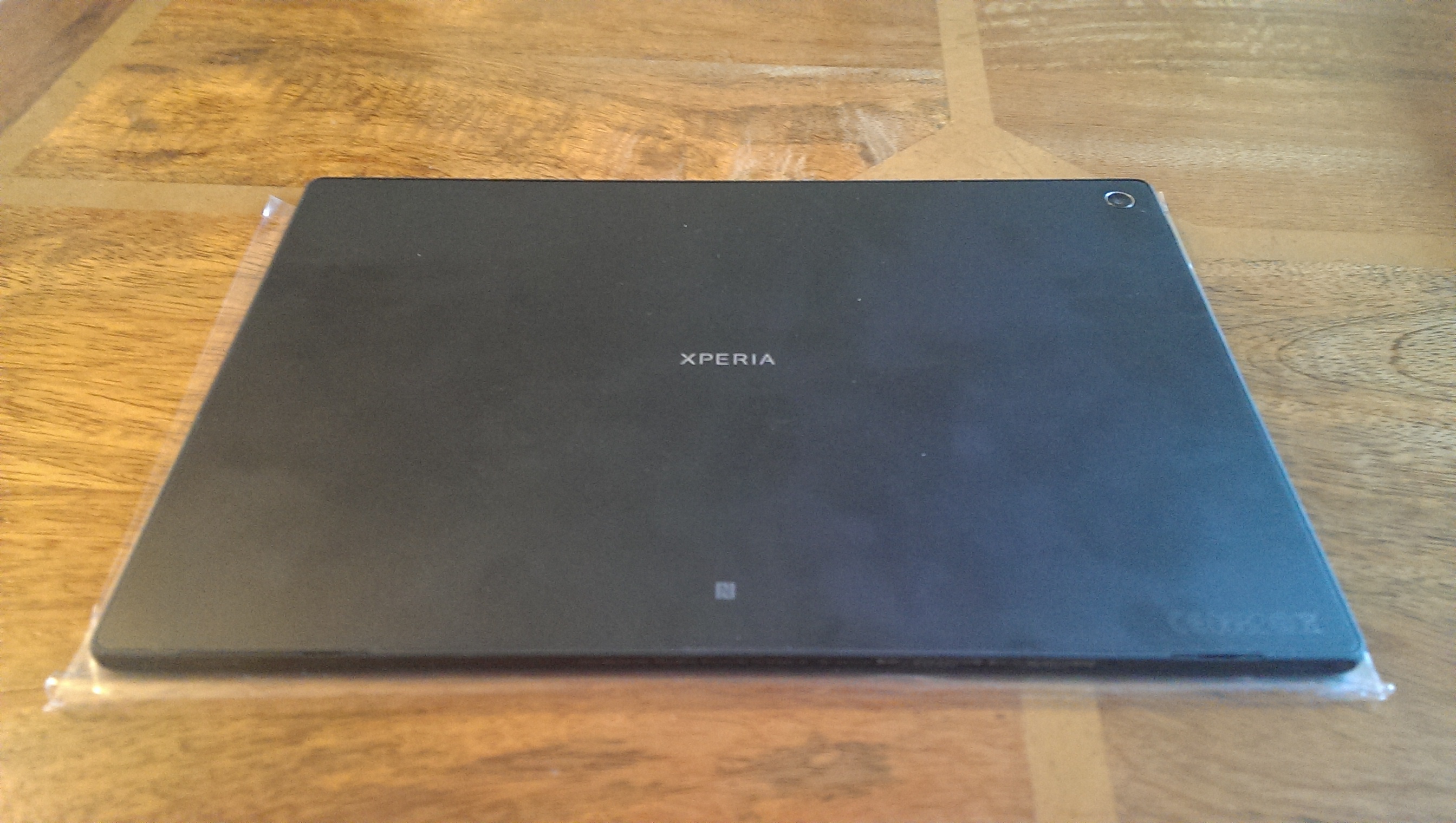
On the rear, you have the words Xperia dead centre, top right the 8.1mp rear camera and bottom centre the NFC hotspot.
2013-06-17 08.27.00
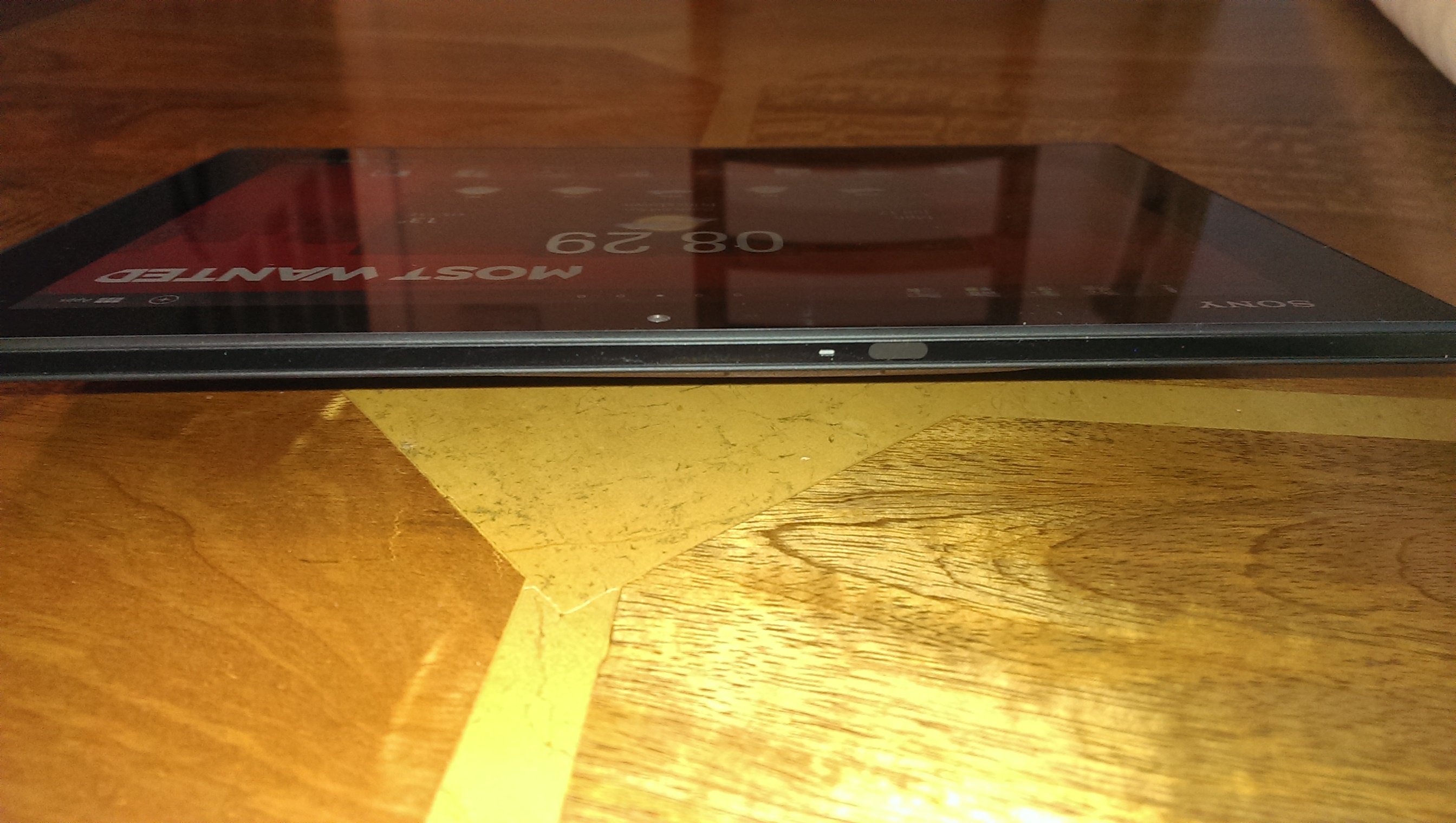
The left side edge features a flap to reveal the headphone jack, the on/off button which is a silver aluminium affair, the notification light just under the on/off button, then the volume rocker, moving further down near the bottom is the charging points for the Sony Dock (review coming up when dock received) and right down near the bottom of the left side the left speaker grill. Interesting the left speaker has a further grill on the bottom edge.
2013-06-17 08.29.32
So that also means of the bottom edge there is the right speaker grill as well. Next to the left grill is a flap that reveals the micro usb socket. On the far right next to the right speaker is a larger flap that reveals the slot for your micro sd card. The flap is bigger as if you had a cellular version, you would place your sim card in this spot too. The right side edge at the bottom has the other speaker grill for the right speaker and nothing else. The top edge of the Z features the infra red blaster and microphone.
2013-06-17 08.28.50

As a comparison size wise, the Z is slimmer than both the iPad Mini and HTC One.Photo 17-06-2013 08 25 13
And now here is a comparison on size versus the iPad Mini.
2013-06-17 08.34.44

Tomorrow I will have a look at the settings, as this always reveals a few surprises.

Sony Xperia Z Tablet review part 1

Yesterday, I gave some quick impressions of the Z tablet, and today I am going to continue with some more impressions and review. Its my birthday today, so this will be the only post today.

So I have now copied all my photos, movies and music on to the device. The first issue I have encountered is the walkman app is unable to download the music info due to a network error. Maybe Gracenote is unavailable, so I will try tomorrow. No big deal, but I would like the artwork. I did copy everything via Wi-Fi but I now discovered Sony Bridge for Mac. If I cant get the artwork across, I will try the Sony app. It might be that I put all 3,000 songs in one folder.

I have plugged my headphones into the Z, and have been blown away by the quality of the built in headphone amp. I thought the HTC One sounded good, but seriously it is not even a patch on the Z tablet. The Z is now my music player of choice. My old iPod Classic is toast now. The music has amazing clarity, seperation, depth, punch and musicality. Whilst the headphone sound is fantastic, the external speakers are loud but slightly tinny. This probably is due to the waterproof aspect of this tablet.

The screen. Nothing beats a lovely wide 10.1 inch screen. My iPad Mini is toast too. It doesnt stand a chance against the Z. The Z does seem to be a finger print magnet. But then it is a new toy and I am using it alot. If it wasn’t for the fact I need an ios device so I can use play some of the games I have bought, I would sell it tomorrow. The other aspect is the weight. The Z is very light and therefore enjoyable to hold and use for long periods.

Talking of the screen, the tablet is really easy to use due to some nifty screen options. Visible at the bottom left is the home, back and recent apps. The bottom right is the notification centre and settings shortcuts. Whilst on the home screen, you get the infra red remote icon and quick widget apps. The quick apps can include apps, widgets up to 7 in total. These are special small apps, of which there are over 58 to choose from. Top right includes Google search and voice search. Then you can add 4 apps or folders to have quick shortcuts on the top bar. In the middle of the top bar is the 5 dots showing which homescreen you are on. Finally top right, is the apps button to get to all your apps, and a button to add new widgets, wallpapers or change the theme. In the app screen, you can adjust the display options from own order, alphabetical, most used, recently downloaded. You can have folders too. There doesnt seem to be a restriction to the number of apps in a folder.

The Sony launcher is excellent, even better than Sense 5. So it stays. Some screen shots of the home screens.

image

You can see the layouts of all the scren options too.

image

And the app screen.

image

And on the home screen pressing the + reveals this.

image

Tomorrow I will discuss the infra red software and more. And mention one super incredible feature just discovered.

If you have any questions, just let me know.

Update – the album artwork downloaded a lot later. Clearly a Gracenote server error.

First Impressions of the Sony XPERIA Z Tablet

This is a very early first impression. I have had the Z tablet half a day, and managed to sleep 4 hours as well.

So, first up its very thin and light. It is thinner than the iPhone 5. It is nearly as light as the iPad Mini. The screen is superb, and its a beauty with a 10.1 inch screen. This entire post was typed on the tablet.

Sony have included lots of their own software. The launcher is very good. I won’t be using an alternative launcher, as the Sony layer does everything you need. It took me a few hours to explore all the software included. Some of it is now hidden in a trash folder, but 80% was useable. The tablet is waterproof, so I did the mandatory test in the bath, and it worked just fine. It also has a infra red blaster and decent infra red software. I have managed to setup 3 devices already. The Z Tablet also has the option of mini pop ups, like a web browser, clip tool and more.

On first launch I went into software update and updated to a newer software. It is android 4.1.2 but the Sony extras provide a great performance.

I noticed in the settings it has native support for the Sony PS3 Dual Shock Controller and that is amazing. Via the Sony Entertainment Network I have downloaded some PS1 games and I have been having a blast. 10.1 inch screen and gaming are a match in heaven, especially as its light too.

It has front and rear cameras. The rear is a 8mp Sony Exmor RS sensor from memory. It takes good photos. And as the tablet is waterproof, I can now go out in the bad weather of Dartmoor, and take some ghastly weather snaps.

Battery life is an unknown, but its going fairly well. 10 hours use. Started at 75% and dropped to 26% before plugged back in. One last point the only web browser is Chrome.

More tomorrrow.
image