The Moga Pro Controller is a game controller with clickable dual analog sticks, shoulder buttons and triggers, D-pad, and four action buttons offer the control you need for the games you want to play. It connects with a wireless Bluetooth connection that works with Android tablets and phones.
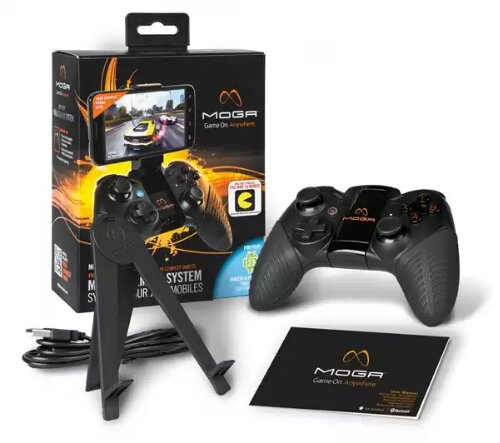
-The MOGA Arm™ secures phones up to 3.2 in./82mm, the largest phones in the market
-Full-sized, rubberized grips minimize wrist fatigue during mobile gaming sessions
-Internal, rechargeable batteries with a USB recharging cable
-Folding tablet stand
-Huge game library with more titles coming all the time
-Works with Bluetooth-enabled Android 2.3+ smartphones and tablets
In the box you get the controller, a micro usb lead, instructions and a tablet stand. This is ideal for using with any tablet including my Xperia Z Tablet.
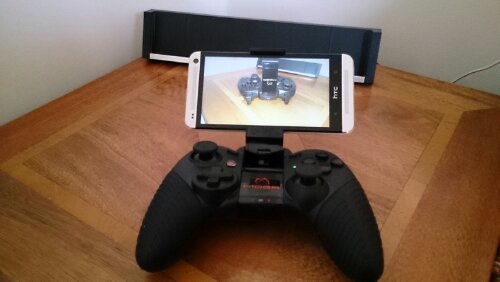
However, using it with your phone is equally slick, with an extendable arm that springs back to hold your phone. Shown above with the HTC One in situ. The angle of the arm can be adjusted too, either as shown or upright. The controller is available in several countries. In the UK, I got mine from Game UK for £39.99. I have also seen it in Game UK retail stores. As part of the price, you also get a copy of Pac Man and Nova 3. Nova 3 can only be installed on one device, so if you have a tablet and phone choose wisely.
Holding the Moga Pro feels really great. It fits like a glove in the hand and all the controls are easy to reach and use. I have had the controller for nearly 2 weeks and it is just as fantastic to use as it was from day one.
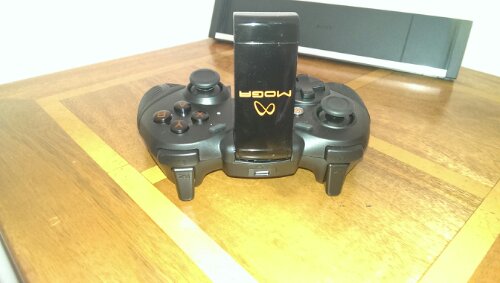
The first thing you need to do is fully charge it, so connect the micro usb cable into the rear socket and charge away first. Setting up is simple. Install the Moga Pivot app and setup connection A first, then B. The controller Works better in mode A with Moga enhanced games, but it is also great with non enhanced games in mode B.
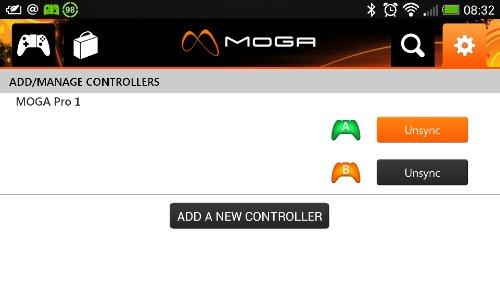
Connection A is for games specifically Moga enhanced for which there are over 100 and the list is growing. After you are all connected, reboot your phone and switch off and on again the controller. Open the Moga Pivot app, and connect to profile A. Once connected, it brings you to the store list of available games.

If you tap the top right icon controller icon, it will bring up a list of your games, ones you have played via the Moga Pro and ones yet to play. Below is my games.

And more.
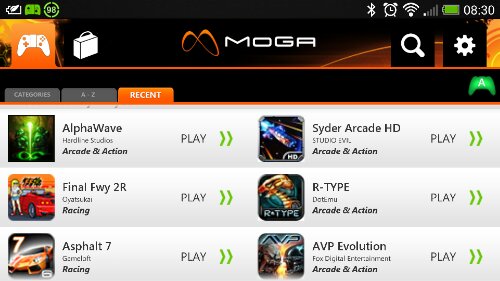
It is quite likely you will already have some Moga enhanced games. So one thing to remember that everytime you want to play a game, you must launch the Moga Pivot app first, and each time and launch the game from within the app.
So what’s it like to use. Two words. Freaking awesome. Action or racing games come alive. Having analogue controllers provides a level of control not possible with touch screen controls. The gaming experience is a wonderful experience. But it is not just action type games that benefit. Games where a bit of skill is required also benefit. I have some crazy high scores on games were I was useless previously.
At present the Moga Pro is for android 2.3 upwards.
And if you like playing games this is well worth considering.
 Gavin's Gadgets & Photography