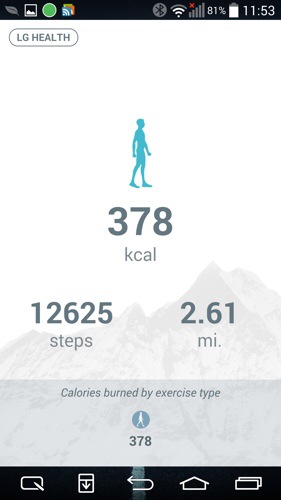
The LG Health app on the LG G3 can only be accessed by swiping to the right on the home screen. Above is the screen shot. If you have smart tips enabled then the health app takes up only half of the page with smart tips on the lower half of the screen. Tap on the LG Health button top left and you are taken into the app for further options.

Here you can see your activity so far. Note this doesn’t record automatically. You have to on the recording tracks option as shown below.

Here you can select a number of exercise options. For the purpose of this review I chose walking.

You also have options to view your activity over a day, week, month and year. So yesterday I did a walk with my dogs over Dartmoor. I was also taking a number of photographs so I did stop periodically as well. After the walk you can view details of the walk as follows.


The LG Health app is not as comprehensive as that found on the Samsung Galaxy S5. The S5 health app is phenomenal. But what you do get is a decent app with enough information to help you with your fitness.
In the 2 hours walk, the G3 battery dropped 9%. This also included taken 75 photos.
Tomorrow, I will look at some more features of the LG G3. Once again, any questions please ask.
 Gavin's Gadgets & Photography