Your own personal cell signal that’s 1,000 times faster – here’s the low down

Wired have reported that Steve Perlman, an inventor who sold his TV company to Microsoft for $500m, is ready to give you a personal cell phone signal that follows you from place to place, a signal that’s about 1,000 times faster than what you have today because you needn’t share it with anyone else.

Perlman will give today the first public demonstration at Columbia University in New York. Previously known as DIDO, the technology is now called pCell — short for “personal cell” — and judging from the demo Perlman gave Wired at his lab in San Francisco last week, it worked as advertised, streaming video and other data to phones with a speed and a smoothness you’re unlikely to achieve over current cell networks.

This sounds amazing if it could be expanded for everybody.
Facebook buys WhatsApp – my views

When this hit the internet last night I. was not happy. I don’t and won’t use Facebook but now it seems another great app succumbs to a large corporate.

Sadly, my kids use this app so for the foreseeable future I will still have to use it. I don’t like Facebook and don’t use it either so this is a disaster in the longer term.

How long before you will need a Facebook account to use the service or will Facebook just integrate it into their platform.

What’s your view?

Press release –

MENLO PARK, CALIF. – February 19, 2014 – Facebook today announced that it has reached a definitive agreement to acquire WhatsApp, a rapidly growing cross-platform mobile messaging company, for a total of approximately $16 billion, including $4 billion in cash and approximately $12 billion worth of Facebook shares. The agreement also provides for an additional $3 billion in restricted stock units to be granted to WhatsApp’s founders and employees that will vest over four years subsequent to closing.

WhatsApp has built a leading and rapidly growing real-time mobile messaging service, with: Over 450 million people using the service each month; 70% of those people active on a given day; Messaging volume approaching the entire global telecom SMS volume; and Continued strong growth, currently adding more than 1 million new registered users per day.

Microsoft Skydrive becomes OneDrive with new features and storage limits

Microsoft Skydrive is now called OneDrive.  In addition to the name change Microsoft has added some new features.

Microsoft is introducing a referral bonus of up to 5GB, which is made up of 500MB for each friend you refer to OneDrive, up to a maximum of 10 friends. OneDrive users will receive the free storage for referrals, and friends who sign up to the service will also get 500MB each. You can also earn 3GB of free storage by enabling the camera backup feature in Windows Phone or the iOS and Android apps. In total, OneDrive will offer up to 8GB of additional cloud storage on top of the 7GB free default allocation. If that’s not enough storage then Microsoft is also introducing monthly payment plans for OneDrive to boost the overall storage.

Microsoft is also updating its OneDrive Android app with the automatic camera uploads, allowing Android users to take advantage of the new 3GB of free storage offer. The new app works largely the same as the iOS version, backing up photos to the OneDrive service, with an option to upload videos too. It also has a slightly redesigned UI to match the other apps across Windows and iOS. The newly designed Android app is available in the Google Play Store, alongside a refreshed onedrive.com site today.

Samsung reveals its new camera tech for smartphones

image

Samsung is introducing several new types of LED flashes that will debut in their high-end mobile devices

The first is an LED flash they’re calling a “reflector-integrated flash LED” and will debut in the Samsung Galaxy S5. It basically shoots light in a wider field of view to compensate for our smartphone cameras wide FOV. This ensures light reaches to the far edges of the image, which should come in handy when flash is needed. Samsung also says the colour rendering has also been improved, making the flash function well in both daylight and night time shots.

Samsung has also announced its affordable “standard flash LED 2016″ which is said to offer better light output and better colour than LEDs found on current smartphones.

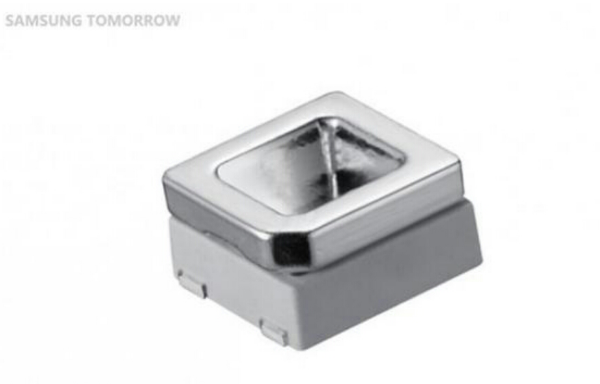
Lastly, Samsung introduced their upcoming “side view LEDs” which are said to be more power efficient and given their small footprint (.8mm thick), makes them perfect for the growing trend of thinner smartphones and tablets.

Samsung says they’ll begin mass producing their new LEDs in March, where you can expect to find them popping up inside devices sometime in Q2.

HTC in the news – screens and launches

HTC is distributing press invitations for its next big event, scheduled for March 25th, where the company’s next flagship smartphone will be revealed. As with the HTC One launch in February of last year, the announcement will be made via simultaneous events in London and New York, and HTC promises that the phone in question will be its primary flagship for 2014. I can’t wait to see this replacement for the current HTC One.

And then for US customers HTC has announced HTC Advantage.

HTC Advantage is a new free program that will automatically accompany every HTC One series smartphone sold in the U.S. beginning immediately. HTC as part of this program promises that it will continue to update its smartphones to the latest version of Android for up to two years following launch.

Second, in the event that an HTC One series smartphone owner cracks the screen on his or her phone within the first six months of purchasing it, HTC will replace the cracked display for free. This is a once only replacement.

And the final offer is free 25-50gb worth of Google Drive storage free of charge.

So HTC are trying to offer some long term assurity with new HTC phones which is a positive move.

image

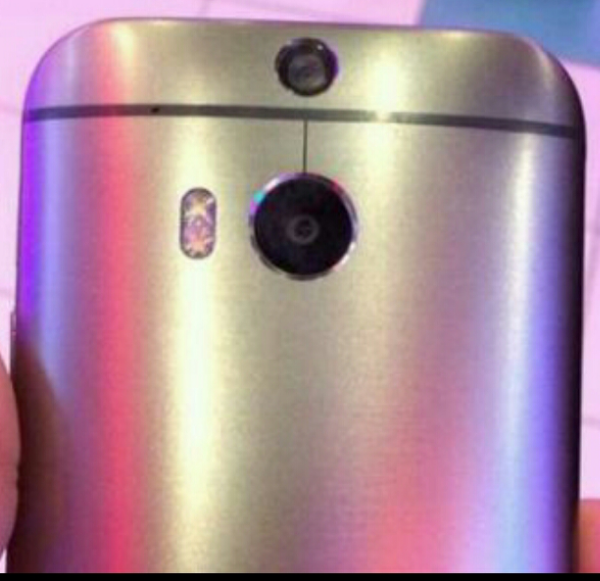
And rather bizarrely the new HTC One will have dual rear lenses for the camera.

Samsung Galaxy NotePRO and TabPRO first impressions

When the Galaxy TabPRO and Galaxy NotePRO line of tablets was first introduced in Las Vegas last month, it was met with a subdued reception: Samsung, after all, seems to announce tablets in brand new sizes and spec configurations on an increasingly-regular basis, leading critics and consumers alike to dismiss yet another set of Galaxy tablets with an incremental bump in specs. But a closer look at the new PRO line revealed something exciting — this wasn’t just one of Samsung’s run-of-the-mill refreshes, but rather an exciting overhaul of both its Tab and Note lineups. With a fresh new UI, the best spec sheet in the business, and a few new sizes added for good measure, the PRO line just might include some of Samsung’s best tablets to date.

More at Android Central

Cellz Bluetooth Portable Speaker – review

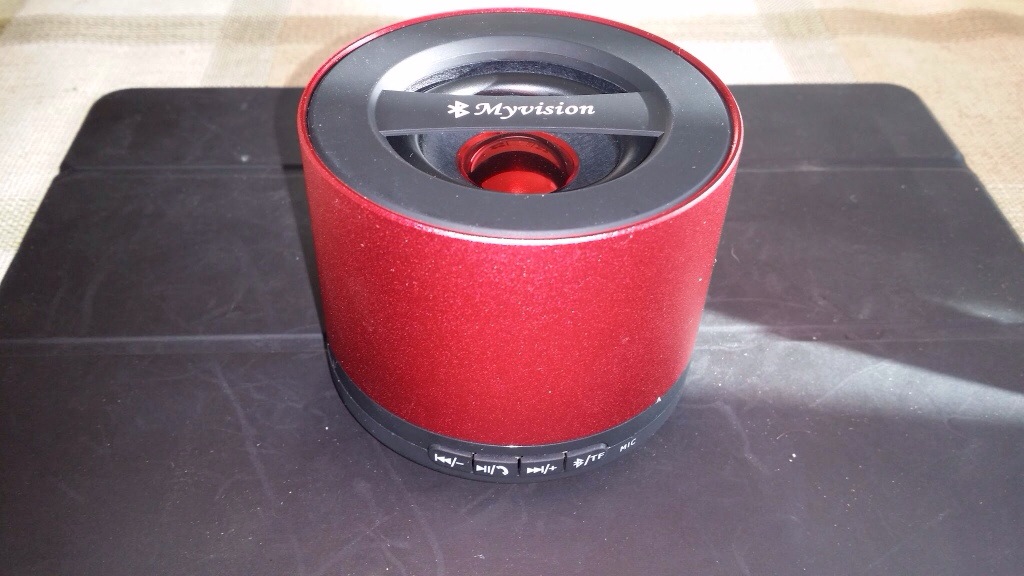
The Cellz Bluetooth Portable Speaker is a great little Bluetooth speaker.

20140207-123720.jpg

It is a rechargeable, mini USB chargeable, 3W digital power amplifier. It takes 2 hours to charge with a 3 hour music playback time. It is specified with Bluetooth v3 with support for AD2P and AVRCP.

The first thing that surprised me was after I turned the power on. It announced in a Japanese female voice “Bluetooth music play system turned on” and then “Bluetooth pairing successfully” . And really loud. Once of twice I started to play music to quickly after pairing and the sound kept breaking up. A quick power off and on solved this.

The speaker has music controls built on the bottom with the mic and call accept close by. It also has a line in input and micro USB card slot for playing mp3 songs on a micro USB card. In the box is the speaker, quick start guide , mini USB cable and 3.5mm to 3.5mm cable.

In use the 3W amplifier did sound rather loud and heavy a reasonable bass for its size. Taking a call on it was rather odd. You need to be 5-10cm from the speaker. It worked but it felt even stranger than using my Galaxy Gear to take a call on. Listening to podcasts was a joy on this little speaker. Clear and loud.

All in all though a very versatile nifty little Bluetooth speaker.

Rating 8.4/10.

The Samsung Galaxy S5 does have a fingerprint scanner – and this is how it works

Recently, most of the rumours pointed towards the fingerprint sensor being built into the actual display but that’s not the case, because Samsung has implemented the sensor into the Galaxy S5’s home button. Oh, we would also like to confirm that Samsung hasn’t opted for on-screen buttons and is still using physical buttons, like it has been using in the past on all of its flagship devices. The sensor itself works in a swipe manner, which means that you would need to swipe the entire pad of your finger, from base to tip, across the home key to register your fingerprint properly. Also, you would need to keep your finger flat against the home key and swipe at a moderate speed or else it won’t recognise your fingerprint. The fingerprint sensor is sensitive to moisture, as well. So, don’t try to use it with wet fingers because it will, literally, give you an error and tell you to dry your fingers first.

Samsung has implemented the use of fingerprint scanning throughout the operating system. You can register a total of 8 fingerprints and assign each fingerprint a different task or use it as an app shortcut, but at least 1 fingerprint must be used to unlock the device. A new Personal Folder and Private Mode has been developed by Samsung, where you will be able to hide personal apps, widgets, and content you want to keep private. To open and close your Personal Folder and Private Mode, you would need to swipe your registered finger over the home key after tapping on the home key, or you could simply use a different security method, like pattern unlock or security PIN. You will be able to verify your Samsung account using your fingerprint and will also be able to sign into different websites, without needing to enter your username or password ever again.

More at Sammobile

Has the iPad interface passed its sell by date?

It’s strange how in a few months my view of my iPad Air has altered. When I got the iPad Air I was very excited by this beautiful piece of hardware. It’s extremely well manufactured, with a lovely screen and on screen keyboard and supported by a really powerful processor. It comes with fantastic battery life, and for its size is one of the lightest tablets.

In fact despite my changing views it still is all of the above. And let’s not forget iOS 7 and all the bespoke tablet apps. So what’s changed?

Owning the Samsung Note 3 has altered my view point on the iPad Air. For a start I’m not using the iPad Air as much now I have the Note 3. The Note 3 has been designed to make full use of its screen size with multi view and small floating apps. Now you won’t have 2 apps open at the same time all the time, but when you need to, it is very effective. The same applies for the floating small apps.

At the weekend, I was in Carphone Warehouse and used the Samsung Note 10.1 2014 tablet. This integrates many of the Note 3 features but in a larger form factor. This then got me thinking about the new NotePro 12.2 which allows up to 4 apps on the screen at the same time. And then I went back to using the iPad Air. It really feels like it’s missing out on a trick by not fully utilising all the screen real estate. Plus with the Note 12.2 you have proper sharing of data between apps and the ability to connect USB hardware to it.

So here I am debating whether I should change the iPad Air for the Samsung NotePro 12.2….. To be continued…