Category Archives: Tech News

Samsung Gear Fit review

2014-04-18 13.10.48

I was out shopping with my wife and noticed my local O2 stores in Plymouth, Devon had the Gear Fit and Gear 2 Neo on display, and both in stock. I really do surprise myself sometimes with such “Superman” eyesight.

I choose the Gear Fit as it looked a lot better than the bland Gear 2 watch. Ironically, the Gear 2 Neo and Fit were priced the same at £179, or £50 off if you bought them with a Samsung S5. Anyway, in the box you got the mains charger, clip on plastic cradle to charge the Fit and some leaflets.
2014-04-20 08.01.55

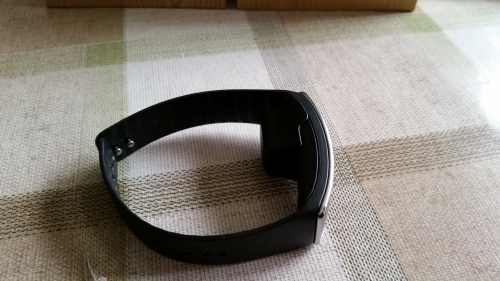
And this is the oddity. The Fit whilst it has a curved amoled screen, looks damn odd to have to clip on this piece of plastic, which no doubt people will mislay. The cradle has a micro usb slot on the side. I was not too impressed with the overall thickness of the device.

The Fit is meant to last 4-5 days light use, 3 days heavy use, has an IP67 waterproof and dustproof rating, runs Tizen, and has a built in heart rate monitor. That battery life is overstated. More on that later. To set up the Fit you need to download the Gear Fit Managaer from Samsung App store, a relatively simple process.

2014-04-19 06.50.08

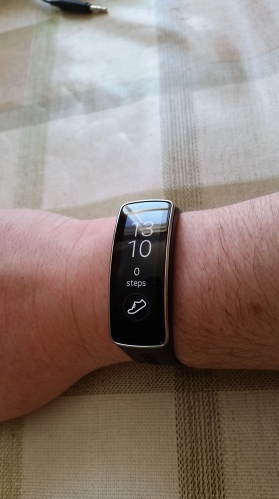
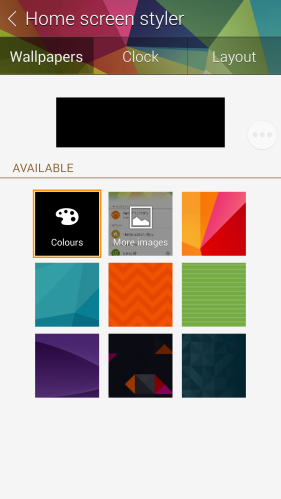
You then have access to a number of customisations. I personally as you can see from the shot of the Fit on my wrist choose a black background.
2014-04-19 06.50.20

2014-04-19 06.50.33

Below is a list showing all the functions available on the Fit.

2014-04-19 06.50.41

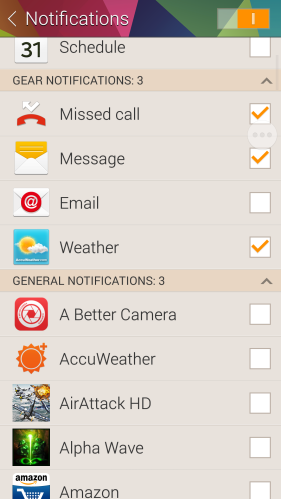
You then have a host of other options as shown in the screen shots below.

2014-04-19 06.50.55

2014-04-19 06.51.17

With regards to notifications, apart from Phone Call Rejections and Text Messages templates there is no other interactivity available. You can merely browse through the notifications, delete individually or delete all. The delete all is great as it covers all notifications from all the apps in one go.
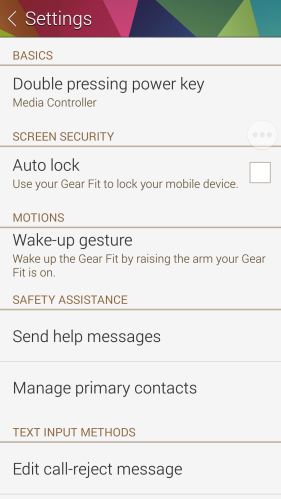
2014-04-19 06.52.04

Also, deleting notifications on the Fit does not delete them on the Samsung device. It is worth noting that the Fit works with 17 different Samsung devices.
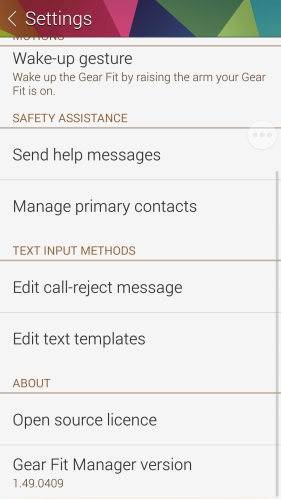
2014-04-19 06.52.15

So the setup is really simple. Next open S health and make sure you can sync the devices. This should be fine, but I changed the sync to the shortest delay of 3 hours. The delay between syncs is all the way up to 24 hours. Also, in the Fit settings you have a few more options from allowing motions to turn display on, what to display by default, which wrist the Fit is fitted too, select what double tapping the home button activates, changing the display to vertical (this is a must in my book) and the display brightness. The brightness scale is 1-5 and 6 is outdoor mode but rather uselessly only stays active for 4 minutes. In bright sun you will need 5, as if you set to 6, it then defaults back to level 4.

So what is it like in use. Actually not too bad. I tried the Samsung S Sleep app which was meant to provide information from the Fit about your sleeping. It did nothing apart from blind my wife every time I moved the Fit flashed the time in front of her eyes. So using the Fit with the S5 and the S Health app was a much better experience. The user interface of the Fit works really simply and is hassle free. Basically it does what it says on the tin!

If you want to use the heart rate you can measure this manually by selecting the option, but when you choose exercise on the Fit and select the type of exercise, it monitors everything in real time. Below is the information provided by the S Health app after I walked for 90 minutes over some demanding gradients.
2014-04-19 13.41.45

The Gold award icon also appeared in the Fit display so I knew I had achieved my daily 10,000 steps already.
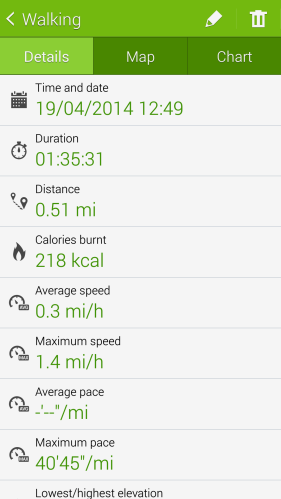
2014-04-19 13.49.40

Plenty of data for those that like this sort of thing.
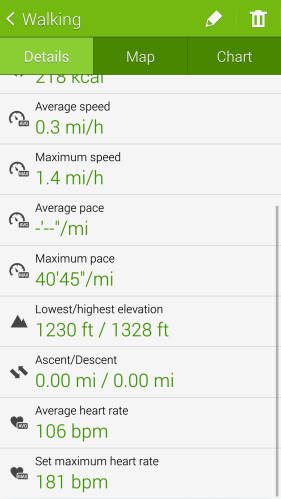
2014-04-19 13.49.47

You can always check progress during the activity as well from duration and heart rate etc..
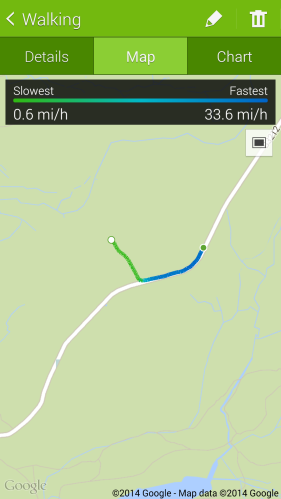
2014-04-19 13.50.16

The GPS data is taken from the Samsung S5.

So do you think it looks impressive? The Samsung S Health app is very detailed and well thought out, but I just cannot get over the thickness of the Fit. From a distance even a small distance it looks good, but it is bulky and then needs the additional piece of cradle plastic to charge it. But the killer reason why I won’t be keeping it is the battery life.

When I got home, I was busy with household tasks, so left the Fit to charge for ages. After just 24 hours and using it for a 90 minute walk, the battery was at 44%. So, after a few charges the battery life improved, but with only 2 days battery life. Now if I used it to monitor say a cycle commute to work and back and my work out in the gym, I doubt it would last the day.

So in summary, it is reasonable, just not good enough yet.
Google’s new email scanning practices

SAN FRANCISCO (Reuters) – Google Inc updated its terms of service on Monday, informing users that their incoming and outgoing emails are automatically analyzed by software to create targeted ads.

The revisions more explicitly spell out the manner in which Google software scans users’ emails, both when messages are stored on Google’s servers and when they are in transit, a controversial practice that has been at the heart of litigation.

So are you bothered by this?

WOW – 17 Smartphone Camera Shootout – Apple, HTC, Samsung, Sony, Nokia, Nexus and Huawei

Not sure about which phone or brand takes the best photos, then have a look at this super sized collection of photos from all the best smartphones and some budget phones as a comparison.

HTC One M8 – https://www.flickr.com/photos/gavinfabl100/sets/72157643265004874/

HTC One M7 – https://www.flickr.com/photos/gavinfabl100/sets/72157644039700054/

Samsung S5 – https://www.flickr.com/photos/gavinfabl100/sets/72157643875623354/

Samsung Note 3 – https://www.flickr.com/photos/gavinfabl100/sets/72157644034132513/

Samsung S4 Zoom – https://www.flickr.com/photos/gavinfabl100/sets/72157644039495565/

Apple iPhone 5S – https://www.flickr.com/photos/gavinfabl100/sets/72157644035336913/

LG Nexus 4 – https://www.flickr.com/photos/gavinfabl100/sets/72157644039660933/

Sony Z1 Compact Z1 – https://www.flickr.com/photos/gavinfabl100/sets/72157644028694521/

Sony Xperia Z1 – https://www.flickr.com/photos/gavinfabl100/sets/72157644039246935/

Sony Z Ultra – https://www.flickr.com/photos/gavinfabl100/sets/72157644083052095/

Sony QX100 – https://www.flickr.com/photos/gavinfabl100/sets/72157644035811453/

Sony QX10 – https://www.flickr.com/photos/gavinfabl100/sets/72157644035335185/

Huawei Ascend P6 – https://www.flickr.com/photos/gavinfabl100/sets/72157644028833151/

Nokia Lumia 1520 – https://www.flickr.com/photos/gavinfabl100/sets/72157644035105534/

Nokia Lumia 1020 – https://www.flickr.com/photos/gavinfabl100/sets/72157644035516523/

Nokia Lumia 925 – https://www.flickr.com/photos/gavinfabl100/sets/72157634991010769/

Nokia Lumia 620 – https://www.flickr.com/photos/gavinfabl100/sets/72157644083348093/

To see the sets in one indexed page click here – https://www.flickr.com/photos/gavinfabl100/sets/

So which phone is your winner?

Episode 13 – Gav & Dave’s Tech Podcast is now live – Please RT

As you know, I co-host a weekly podcast with David from UKMobileTech called Gav & Dave’s Tech Podcast. It is a light hearted tech podcast broadcast bi-weekly. To subscribe click here for iTunes or copy and paste this link into your favourite podcast app.

Episode 13 is now live on Easter Sunday.

If you get a moment and have enjoyed the podcast, please leave some feedback in iTunes. Thanks.

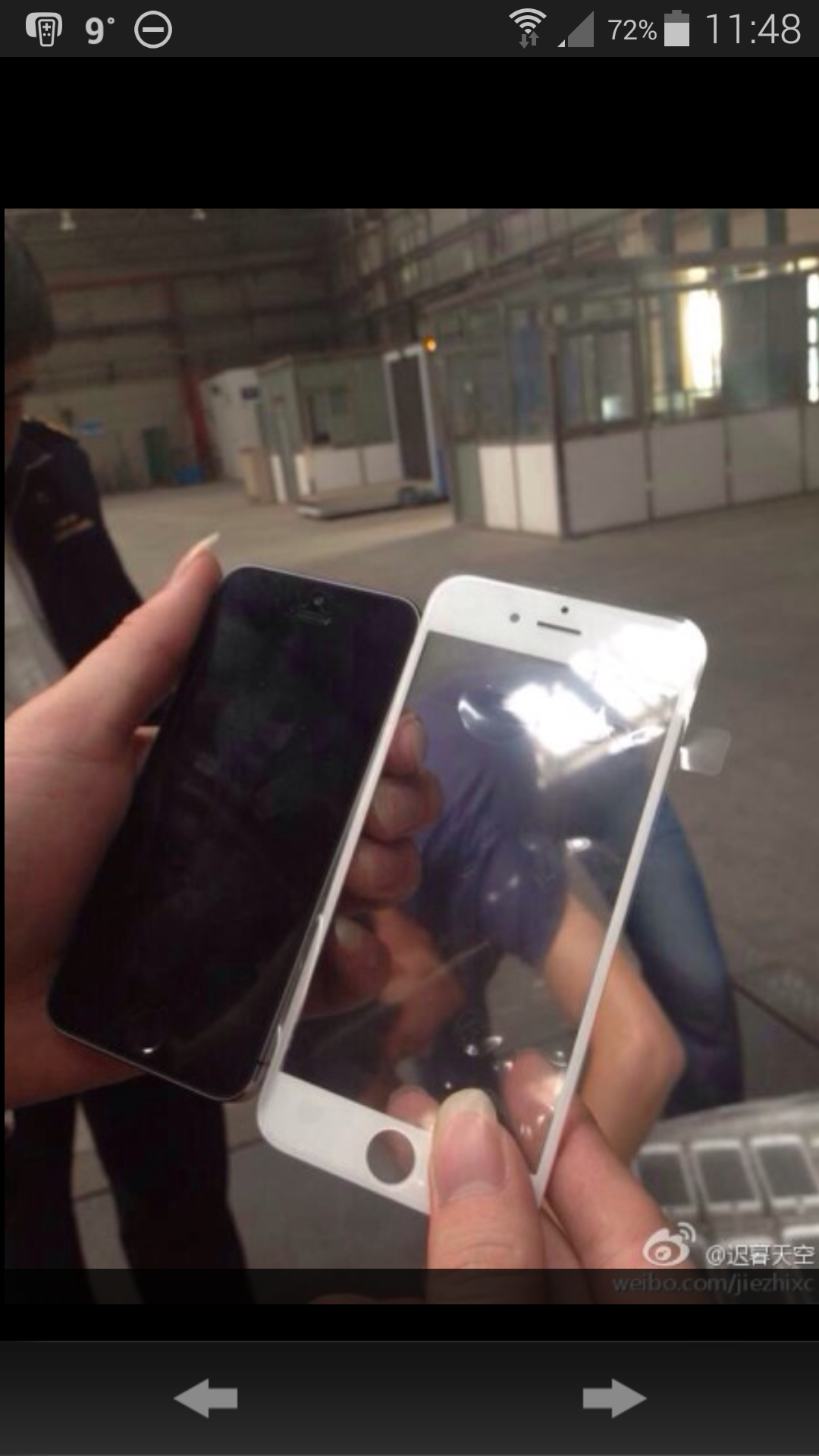
Is this the front of the next iPhone?

image

An alleged photo of what appears to be a front panel from Apple’s larger-screen iPhone 6 has surfaced on Chinese microblogging site Weibo.

Thing is are we really that surprised?  And how much more will Apple charge for the privilege of a larger display.  According to rumours they want an extra $100 from carriers.

What interests me is the software and services improvements and whether there is any hardware innovation integrated in to the new phone.

Only 5 months to find out and at least another 1,000 rumours.

Tomorrow on Gavin’s Gadgets – 17 Smartphone Camera comparison.
Tuesday 22nd April – Samsung Gear Fit review

Nike sacks entire hardware wearables team – bye bye Fuelband

From CNET, Nike has sacked its wearables hardware team responsible for the Fuelband. Nike will only focus on software now.

What’s interesting about this announcement and timing is it’s close to Apple launching iOS 8 and their wearables solution. Also Apple’s CEO Tim Cook is an avid wearer of the FuelBand and has sat on the Nike board for the last nine years, which has helped the two brands foster a strong relationship.

A possible partnership between Apple and Nike wouldn’t be out of the question as the athletic company was one of the first to show support for the iPhone 5s’ motion coprocessor, debuting the Nike+ Move app alongside the iPhone 5s at Apple’s media event. Apple also helped Nike enter the wearable market in 2006 with the Nike+iPod shoe package.

Apple has also hired former members of the Nike’s Digital Sport team, picking up former FuelBand consultant Jay Blahnik last August and Nike design director Ben Shaffer last September.

Apple is expected to release the iWatch later this year alongside iOS 8 and the iPhone 6.

As they say, watch this space for further news.

Review Highlights from the Latest Phones – HTC One M8, S5, Z1 Compact

Below are the quick links to reviews I have written from the latest phones available at present. If you click the menu bar above, and select reviews phones, there are another 20 plus phone reviews to read.

Samsung Galaxy S5 review

HTC One M8 review

Sony Xperia Z1 Compact review

Samsung Note 3 review

Sony Z Ultra views and Camera Samples

Motorola Moto G review

Sony Xperia Z1 Review

Nokia Lumia 1520 review

Nokia Lumia 1020 review

Nokia Lumia 925 review