Category Archives: Tech News

Apple’s Q4 earnings call in detail

Apple last night announced its Q4 2014 earnings results reporting that the company earned $42.1 billion in revenue and $8.5 billion in profit during the quarter. Not a bad start!

Apple’s financial results for its fiscal 2014 fourth quarter ended September 27, 2014. The Company posted quarterly revenue of $42.1 billion and quarterly net profit of $8.5 billion, or $1.42 per diluted share. These results compare to revenue of $37.5 billion and net profit of $7.5 billion, or $1.18 per diluted share, in the year-ago quarter. Gross margin was 38 percent compared to 37 percent in the year-ago quarter. International sales accounted for 60 percent of the quarter’s revenue.

So far so good.

App Store downloads have now topped 85 billion up from 60 billion around a year ago.

In addition to reporting its earnings, Apple has disclosed sales numbers for its main revenue generators. The company sold:

iPhone: 39.272 million, up 16.2%
iPad: 12.316 million, down 12.5%
Mac: 5.52 million, up 20.7%
iPod: 2.62 million, down 25.1%
iTunes: $4.208 billion, up 8.2%
Accessories: $1.486 billion, up 12.7%

Other headline figures –

Revenue: $42.123 billion, up 12.4%
EPS: $1.42 per share, up 20.3%

Apple CEO Tim Cook had the following to say regarding the results:

“Our fiscal 2014 was one for the record books, including the biggest iPhone launch ever with iPhone 6 and iPhone 6 Plus,” said Tim Cook, Apple’s CEO. “With amazing innovations in our new iPhones, iPads and Macs, as well as iOS 8 and OS X Yosemite, we are heading into the holidays with Apple’s strongest product lineup ever. We are also incredibly excited about Apple Watch and other great products and services in the pipeline for 2015.”

Apple CFO Luca Maestri added this:

“Our strong business performance drove EPS growth of 20 percent and a record $13.3 billion in cash flow from operations in the September quarter,” said Luca Maestri, Apple’s CFO. “We continued to execute aggressively against our capital return program, spending over $20 billion in the quarter and bringing cumulative returns to $94 billion.”

Some of the key takeaways of the Q4 earnings –

– Strongest revenue growth rate in last 7 quarters
– Legacy models are helping drive sales due to lower price points
– Apple will class Apple Pay and Apple Watch as new categories. Apple Pay will be in its Services category. iPods will now move into Other Products category.
– Apple ended the quarter with $155.2 billion in cash, down $9.3 billion sequentially
– Retail Store revenue last quarter was $5.1 billion, up 15 percent from a year ago. 10 new stores were opened with 25 more expected in 2015 most of which will be outside of the USA.

So no surprises. iPad and iPod sales are declining. The iPod is dead as Apple clearly aren’t investing in its future. Even the iPad Mini didn’t really receive much of an update last week. Clearly the larger iPhone 6 Plus will be the new Mini. Also I don’t believe the newer iPads will stop the decline. However, they are a few factors which may prevent this happening, that being iPads in business and the new IBM enterprise deal which starts in November 2014. This will be rolling in of the following areas – banking, government, insurance, retail, travel and transportation, and telecommunications. Apparently there is strong demand from the business sector.

Which ever way you cut these figures it was a great set of numbers.

Of course the press will now say Apple is doomed!

My iPhone 6 Plus Home Screen layout design and why it’s this way

IMG_0871.PNG

First and foremost I hold my iPhone 6 Plus in my right hand. Therefore my thumb swipes in an arc from the right corner like a windscreen wiper. Therefore all high frequency apps need to be within or close to this swipe.

Apps used but not as often are placed in folders. Apps on the left column are only used when holding the iPhone with two hands.

So to reach the top half of the screen is a double tap on the home button to lower the screen (this is reachability in iOS 8) and once again the arc thumb swipe action is enabled.

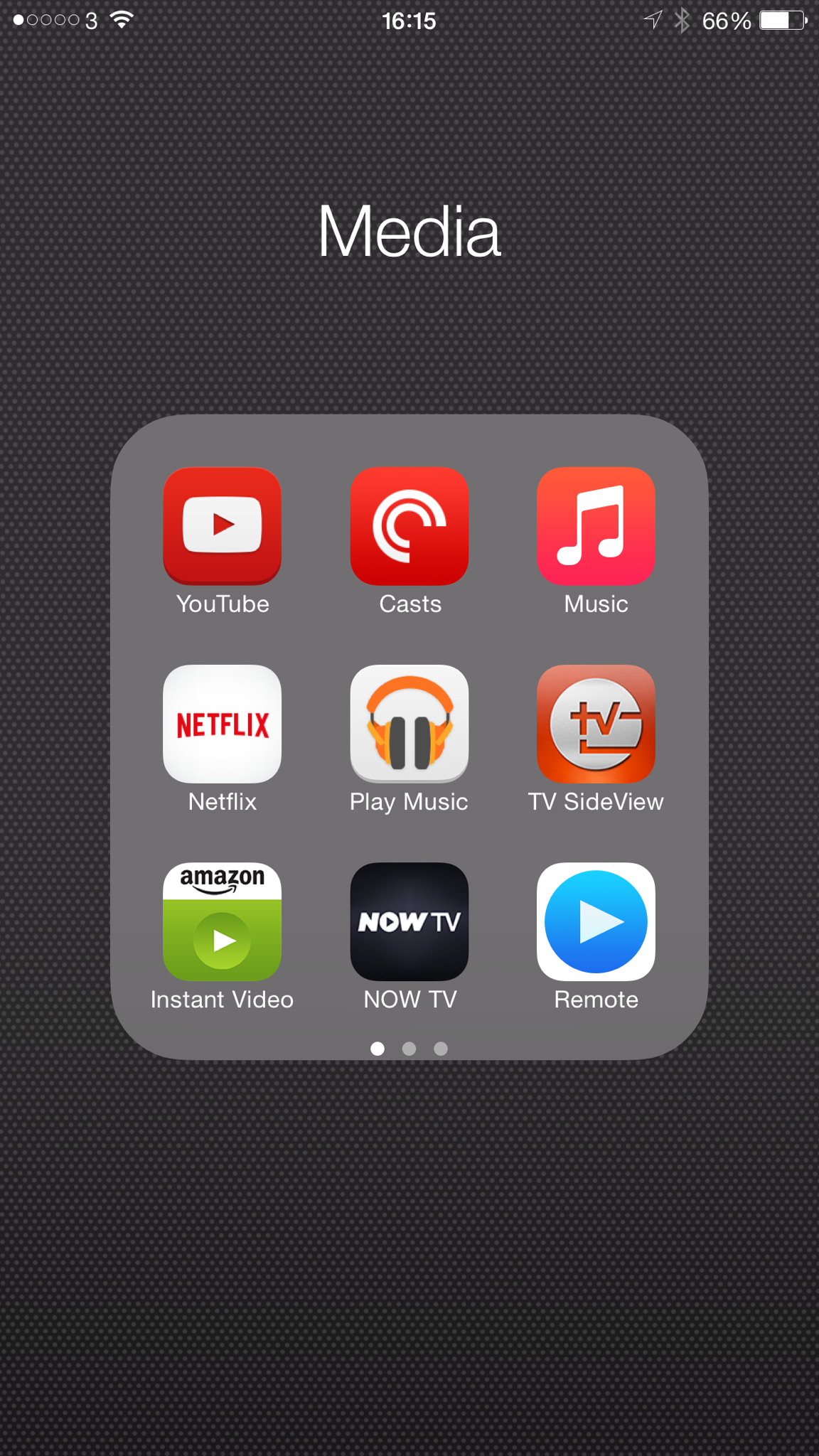
But the layout design doesn’t finish with the home screen. Let’s open the media folder near the top right.

IMG_2930.PNG

In each folder I place the apps I use the most on the right side of the folder as I’m holding phone with my right hand. This means it’s possible to use the 6 Plus one handed for many operations.

By using folders, it means all 161 apps and games are accessible on a single home screen.

So have you any tips?

iPhone 6 Plus – camera video samples

Yesterday I took my dogs for a walk on Dartmoor. I only filmed a few minutes footage, but with the help of iMovie, which Apple include free of charge, I quickly joined a few video clips to make 2 different types of movie memories. All this was produced on the iPhone in a relatively short time.

It has been a while since I used iMovie, but it seems to have a few more effects and even looked simpler to use. iMovie has many different themes, effects, filters, animations and other options but after 10 minutes or so it’s really simple to create a lovely video.

First up I decided to create a film trailer, which is shown below. This is not meant to demonstrate my artistic skills, as it clearly doesn’t, but to highlight what the trailer option does to the video footage. This was produced in 15 minutes. The trailer is just over a minute long. Make sure you see the film credits at the end which all are editable in iMovie. What’s rather clever is that when creating this movie, iMovie tells you the sort of video clip you need to insert into the different slots. It is so customisable and simple to use. And such great fun. It also allows you to select whether you want to use slow motion effects on a portion or not.

Once again video embedded below.

So the next movie is just all the short video clips merged together. This footage has not been edited in any way. I was filming in slow motion at 240fps to see what could be achieved. And I was holding the iPhone, so not using any tripod.

Again be sure to watch the video right to the bitter end to see the last effect. It’s only 2 mins 48 seconds. Certainly a fun way to create a memory of a day out.

Photos app on iOS 8 – it’s brilliant but this is what I really like about it

Apple really has added some neat tricks with iOS 8. The Photos app has had a big overhaul and offers really advanced editing. But it also allows you to edit the photo with another app without ever leaving the Photos app.

IMG_0865.PNG

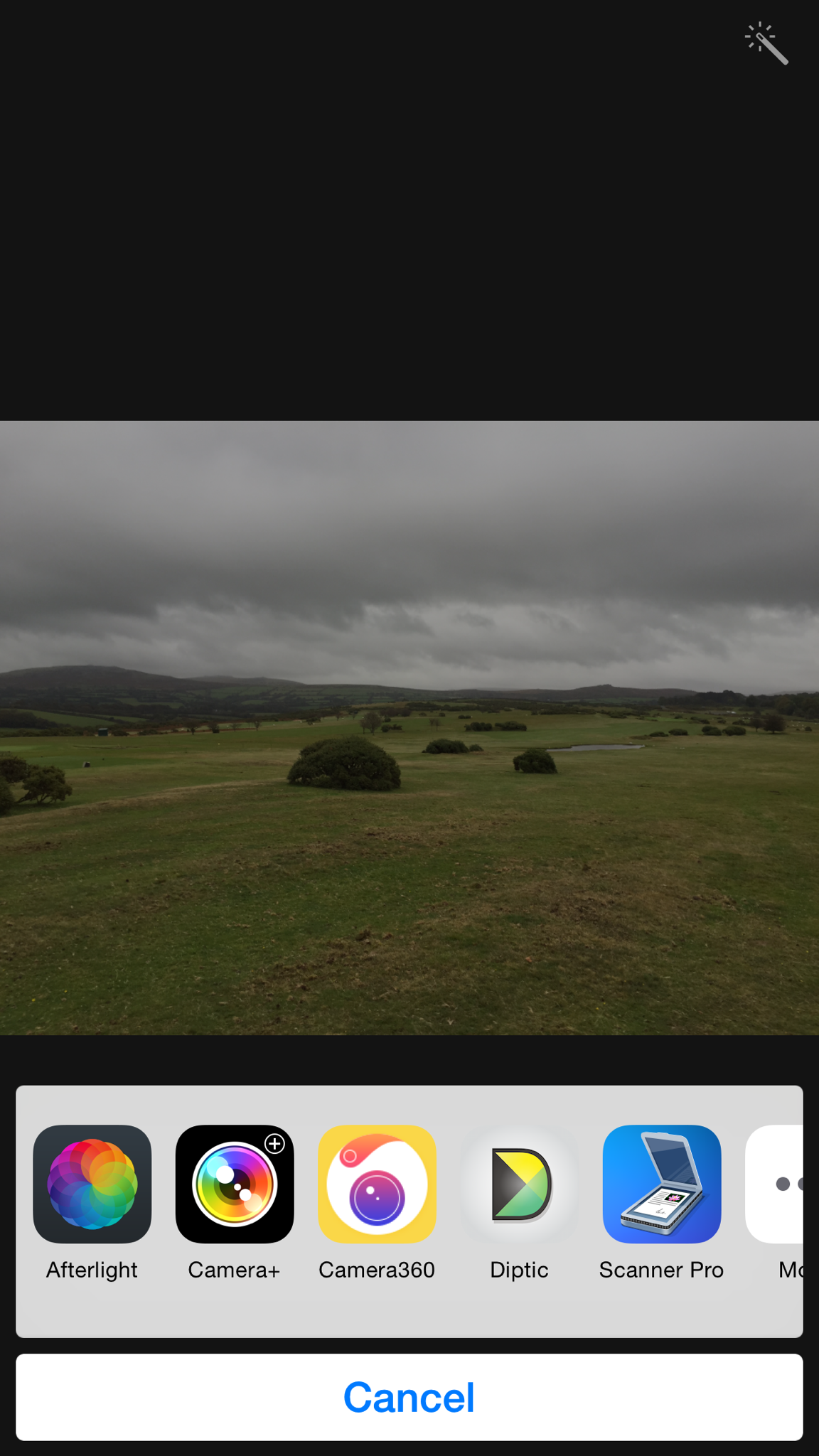
So first select your photo. Next tap edit. Then select the circle icon at the bottom with 3 dots in the middle. Depending on what apps you have installed and selected to show you could be presented with the following –

IMG_0866.PNG

So let’s have a look at these apps. Tapping Diptic creates a two framed photo with the GPS data map. You can select to have the map above or below and a few other options. The end result is this.

IMG_0853.JPG

Let’s look at another app Camera 360. Here you get access to all its features. Ideal for selecting an effect.

IMG_0867.PNG

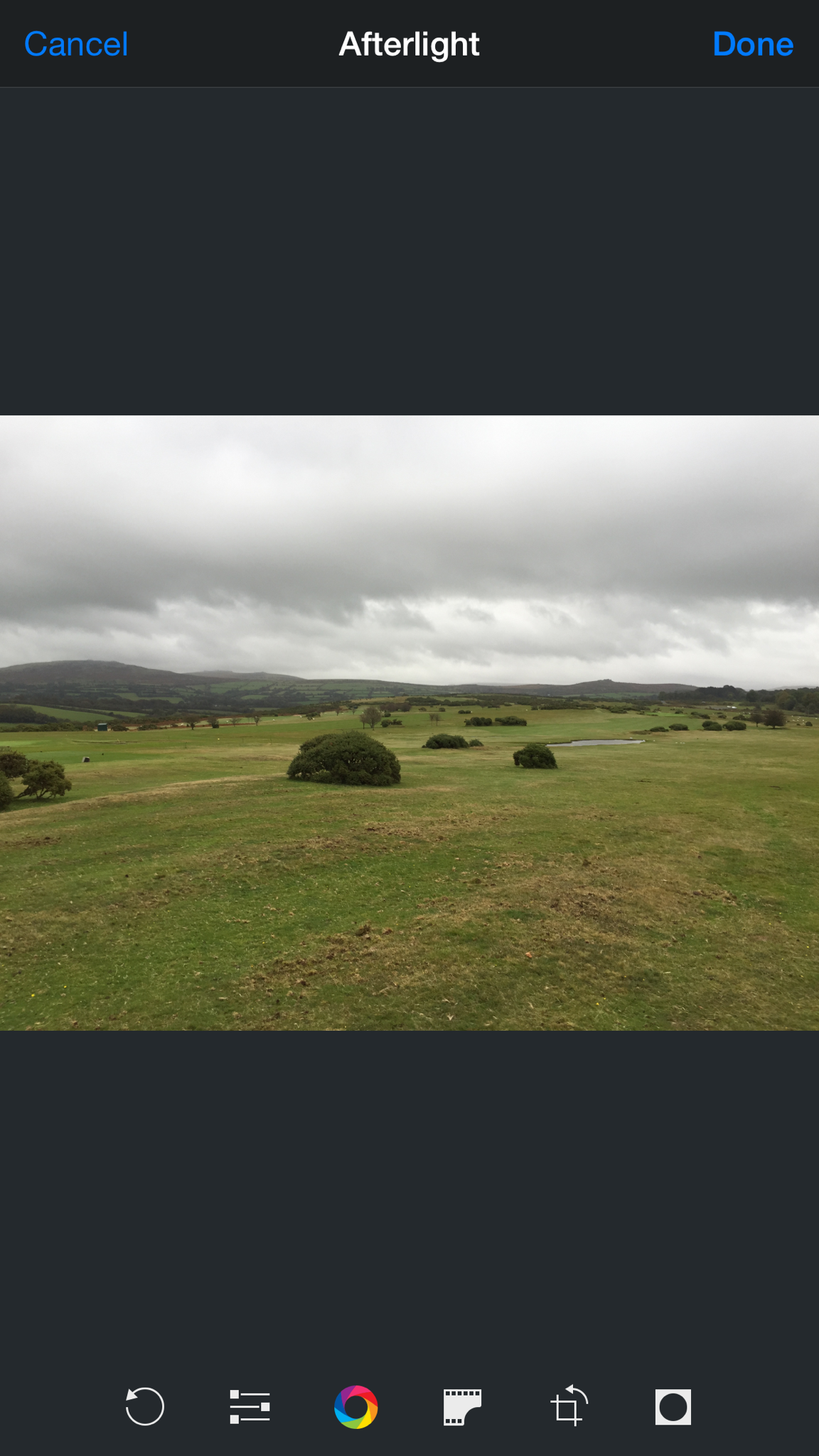
Another app Afterlight will give you access to the following options.

IMG_0870.PNG

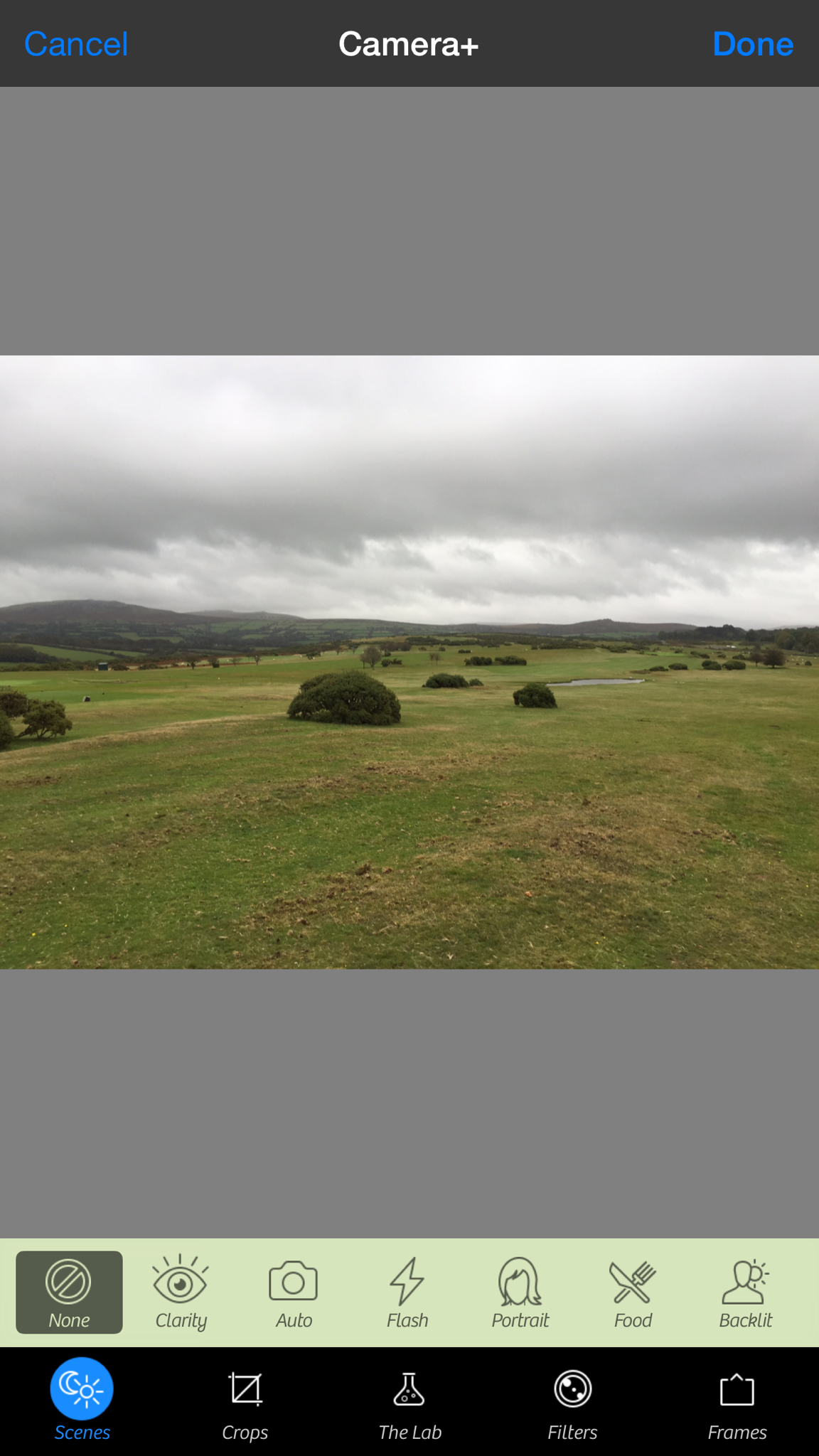
IMG_0869.PNG

Above is the options for Camera+. The beauty is you can edit the photo and when finished you are still in the Photos app. Let’s hope all photo apps add compatibility with this iOS 8 feature. It makes for a great way to add a filter from a particular app without ever having to leave the main Photos app.

Flickr for iOS just got one whopping update for iPhone and finally for iPad too

IMG_2925.PNG

Flickr just got a substantial update that now includes native support for the iPad. Screen shot above from my iPad Air. What’s interesting is the app doesn’t show when searching on the iPad. If you select the filter just for iPhone it does appear. But it most certainly has been designed now for the iPad.

New features in version include –

– integration with iOS 8 share extension
– iPad support, iPhone 6 and 6 Plus support
– ability to access and edit photo details
– unified search across your photos, albums, groups and Flickr photos
– performance and bug fixes

And Flickr provides 1,000gb of free storage for your photos too.

Samsung Note 4 – incoming review

I got a chance to spend a bit more time with the Note 4 yesterday and still am left in two minds over this phablet. It is definitely a step up from the Note 3 which I adored, but I feel Samsung’s phablet space is well and truly invaded by Apple with its iPhone 6 Plus.

However, to give the Note 4 a fair crack at the whip, I have one en route which should arrive at some point next week.

So if you have any questions please let me know and I will try and answer them in my review of the Note 4.

Apple’s new Mac Mini and iMac with retina display – tidbits of info

First a little warning. The new Mac Mini ram is soldered to the board and consequently not user replaceable. So if you order one, you may want to specify the top amount possible of 16gb at time of order.

The new 27 inch iMac with retina display according to ifixit is nearly identical to the non retina model, literally except for the screen which is made by LG.