Category Archives: Reviews

Nokia Lumia 925 – Review Part 3 – Camera Samples

Welcome to part 3. To read the previous parts click here.

I mentioned in part 1, the special Carl Zeiss optics, the low light capabilities and overall high quality camera module. What way to prove it, than with camera samples.

Close up of flower –
WP_20130807_007

To provide some idea of depth and shadows, shot of building –
WP_20130807_013

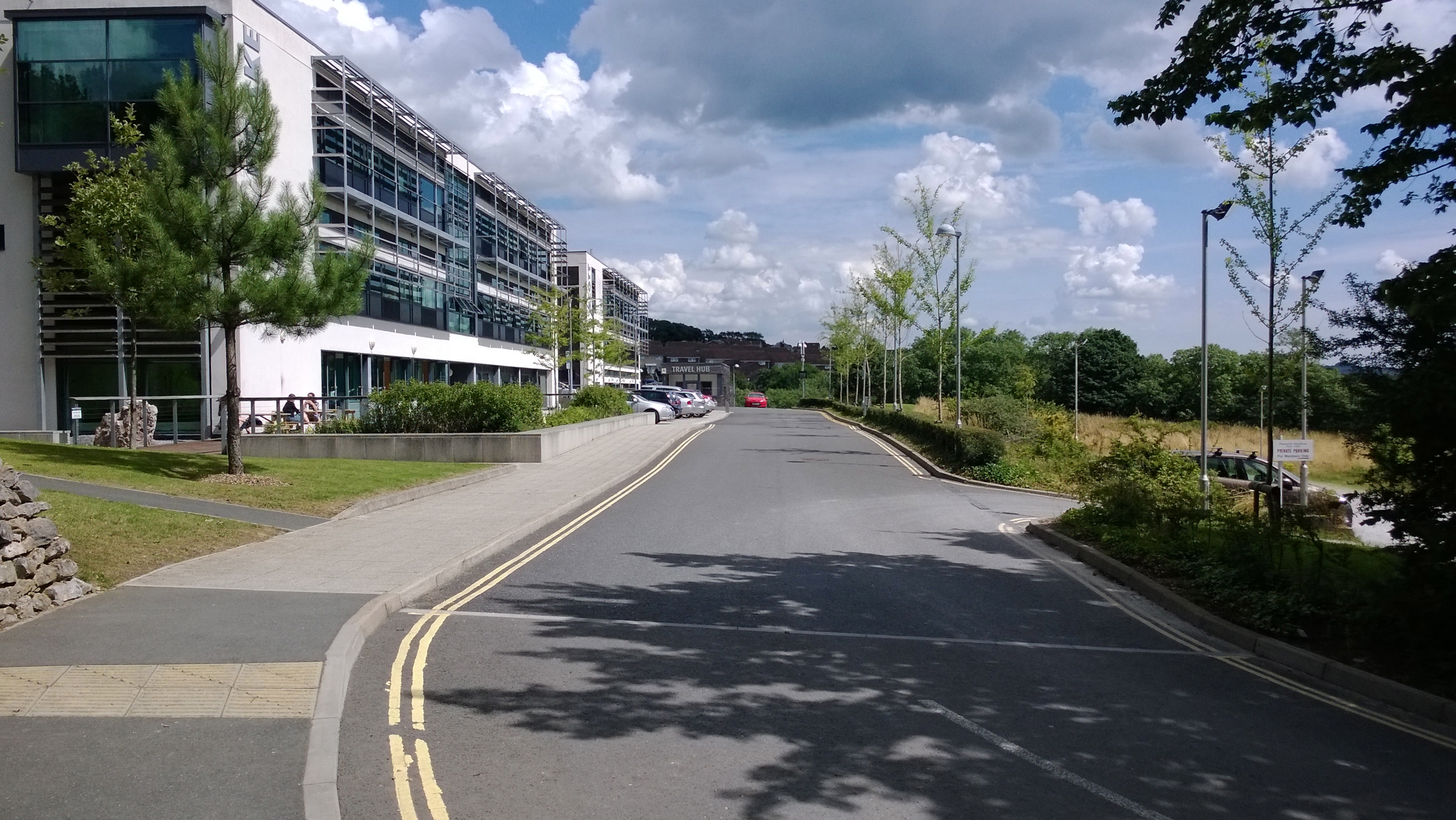
Landscape views –
WP_20130807_002

And another with some ponies in the foreground.
WP_20130807_017

I was viewing these on my PC and the quality of these shots are excellent. To see the full resolution versions of all the Nokia Lumia 925 photos taken so far, look at the set created on Flickr. Click here.

Nokia Lumia 925 – Review part 2

Yesterday, I covered the hardware specifications and my very first initial impressions. Click here to recap.

Today, I am going to cover the software included with the Lumia 925, and it really is an impressive suite, providing a whole new phone experience. I received a software update the other night. It was a smooth process, and I now should have a more improved phone.

On the productivity side you get the following apps – Calculator, Clock, Calendar, Phonebook, Alarm clock, Reminders, To-do list, Social networks in Phonebook, OneNote, Wallet, Family Room, Kid’s Corner.

Business apps which are optional downloads include Adobe acrobat reader and Lync (Corporate IM). Software included are SkyDrive storage for documents and notes, Microsoft Office apps Excel, Word, Powerpoint, OneNote, with syncronization to Exchange ActiveSync. There is also an excellent Mac companion app and Windows 8 companion app. As you would expect you can sync your Calendar, Video, Pictures, Music and Contacts.
wp_ss_20130807_0001
wp_ss_20130807_0002

The Email clients are comprehensive and include Yahoo! Mail, Outlook Mobile, Gmail, Office 365, Nokia Mail, Windows Live / Hotmail / Outlook.com and MS Exchange Active Sync. The protocols supported are SMTP, IMAP4, POP3. In addition to the standard viewing and editing or email attachments, there is a text to speech message reader, conversational view option on email, multiple combined inbox view, inbox filtering, HTML viewer too.

The social side is covered with Google Talk, Twitter, Windows Live Messenger, WhatsApp, Yahoo! Messenger, Skype IM and Facebook. The Messaging features Integrated text messaging and chat, Instant messaging, Concatenated SMS for long messages, Multiple SMS deletion, List of recently used numbers, Audio messaging, Text-to-speech message reader, Text messaging, Number screening for messaging, Unified MMS/SMS editor, Automatic resizing of images for MMS, Distribution lists for messaging, Multimedia messaging, Conversational chat style SMS, Unified inbox for SMS and MMS.
wp_ss_20130807_0003

One thing Nokia does well is call quality, so it comes as no surprise that the phone includes the following – Voice Commands, Call waiting, Voice mail, Integrated hands-free speakers, Call forwarding, Call logs for dialled, received and missed, HD audio, Call history, Voice dial, Conference call, Skype voice call
Video call features: Skype video call. Noise cancellation is handled by 2 microphone uplink noise cancellation.

On the security front Enterprise users get Remote security policy enforcement. General security features include Remote device locking via Internet, Secure NFC, Track and Protect via internet, Firmware update, Remote wipe of user data via Internet, Device lock, Device passcode, PIN code, Firmware and OS integrity check, Secure device start-up, Application sandboxing and integrity check, Lost device tracking, Browser integrated anti-phishing and User data encryption for device.

Other software includes Internet Explorer 10, Facebook, LinkedIn, Twitter, DLNA, SkyDrive, PhotoBeamer, Foursquare,Wi-Fi hotspot, Nokia HERE Maps, HERE Transit, HERE City Lens, HERE Drive+. The Mapping software provided by Nokia is excellent. It is gives you the options to download the entire map of the UK so you do not use as much data when using it. It also provides full turn by turn navigation. Obviously, if you lived in another country you could download the appropriate app. The location technologies included in the Lumia 925 are Magnetometer, A-GPS and A-GLONASS.

wp_ss_20130807_0004
The camera is one of the key features of the Lumia 925. The rear camera is a 8.7 MP PureView with auto focus and a two-stage capture key, 4 x digital zoom, Carl Zeiss optics, 1/3 inch sensor for excellent low light photos and a f/2.0 aperture speed for fast action shots. I intend to take lots of photos too. The phone camera also includes backside illumination and optical image stabilisation. The camera module is made up of 6 lenses. The digital camera extras include Nokia Smart Camera, Cinemagraph lens, Panorama lens and Bing vision. The front camera is 1280 x 960 pixel, f/2.4 ,HD 1.2 MP wide angle. Video is filmed at 1080p on the rear camera at 30fps. 4 x video zoom is possible. Video playback codecs supported are VC-1, Windows video, H.264/AVC, H.263 and MPEG-4. Video playback file formats supported MP4, WMV, AVI, 3GP, 3G2, M4V and MOV.
Video recording formats are MP4/H.264. The front camera records video at 720p.

wp_ss_20130807_0006

On the music and audio front, Nokia impresses once again. The Lumia 925 includes Nokia Music (live streaming of music), Internet Radio, FM Radio, Music Player, Dolby Headphone support, graphic equaliser. Codecs supported are MP3, AMR-NB, WMA 10 Pro, GSM FR, WMA 9, AAC LC, AAC+/HEAAC, eAAC+/HEAACv2. Audio playback file formats supported ASF, MP4, AAC, AMR, MP3, M4A, WMA, 3GP and 3G2.

wp_ss_20130807_0005

Finally, if you like gaming, the Lumia 925 includes DirectX 11, Touch UI and XBox-Live Hub. The X-Box games that you can purchase or trial are excellent too. More of that in the next part of my review.

Nokia Lumia 925 – Review and First Impressions – Part 1

Yesterday, I received in the post the Nokia Lumia 925. Removing the Lumia 925 out of the box reminded me of when I had the Lumia 620, except now I was holding a slimmer and more capable Lumia. Before I continue, just a quick thanks to Nokia for sending the Lumia 925 for review.

Opening the box and removing the Lumia 925, its beauty and quality finish are very apparent.
20130807_111715
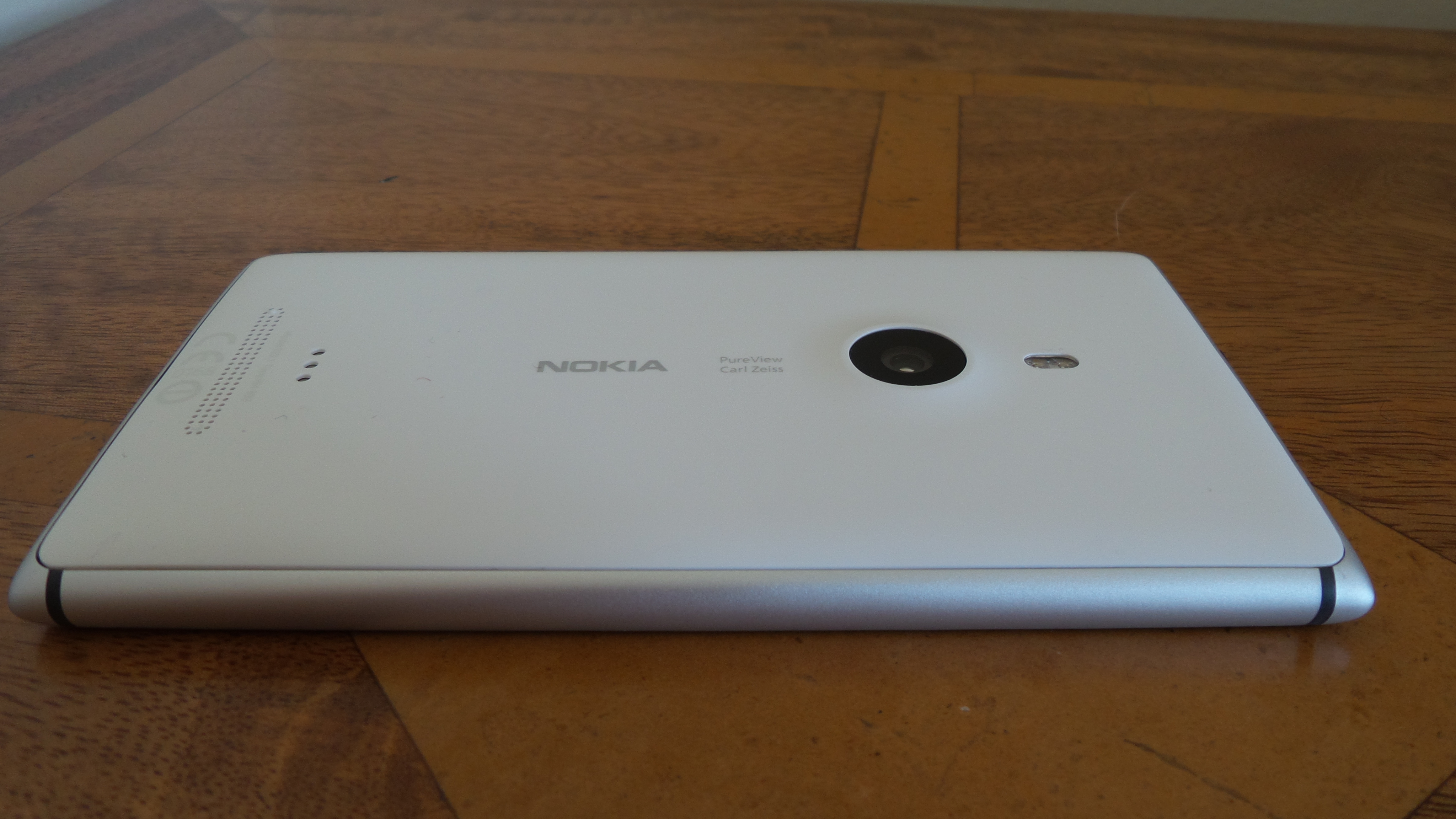
Turning it over and looking at the back, you get to see the Carl Zeiss Camera optics.
20130807_111641
On the right hand side the Lumia 925 has the on/off button, volume keys and dedicated camera button.
20130807_111655
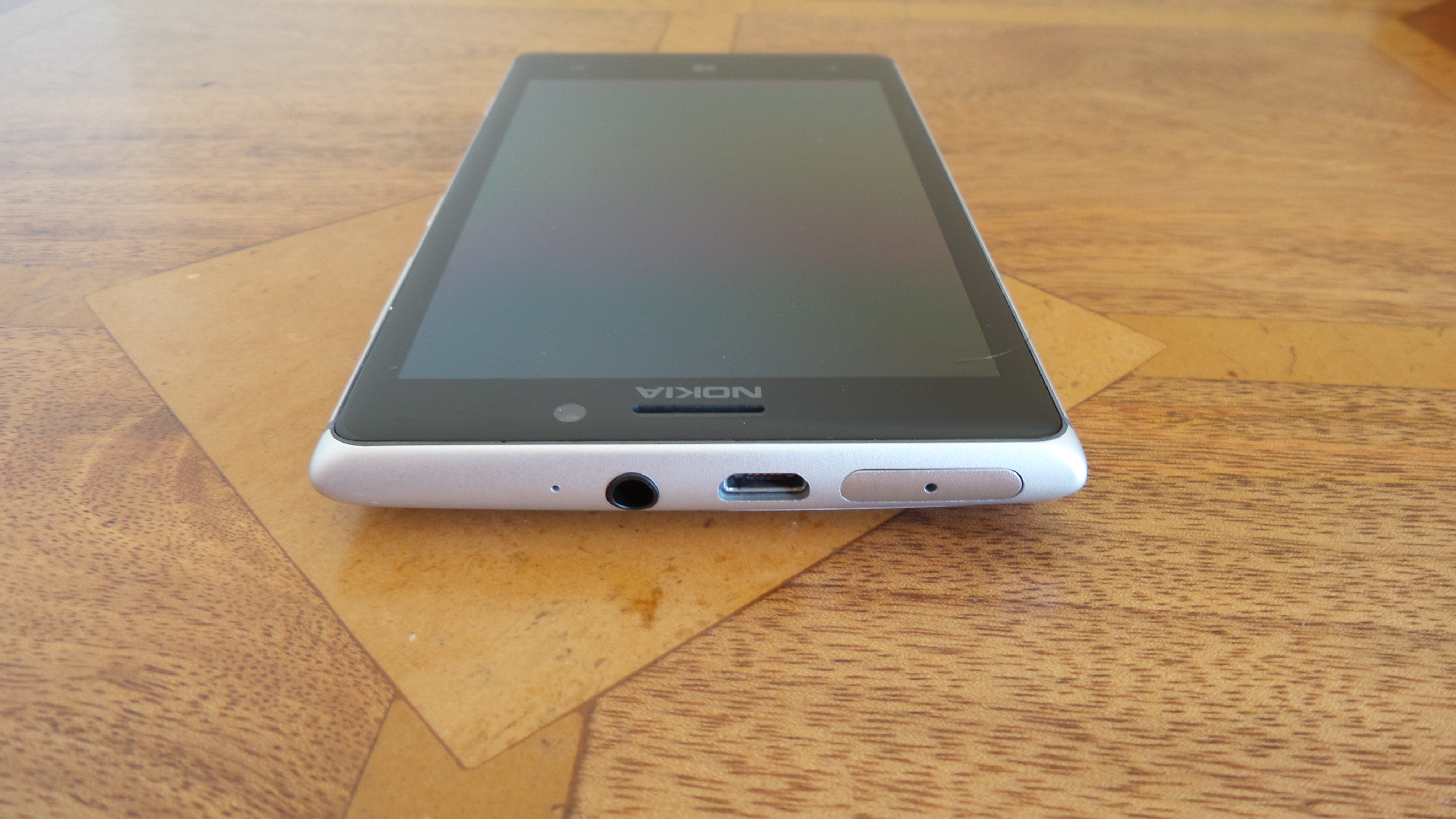
The left side has no buttons, as well as the bottom of the device. At the top you have the sim tray, headphone socket and micro usb port.
20130807_111705

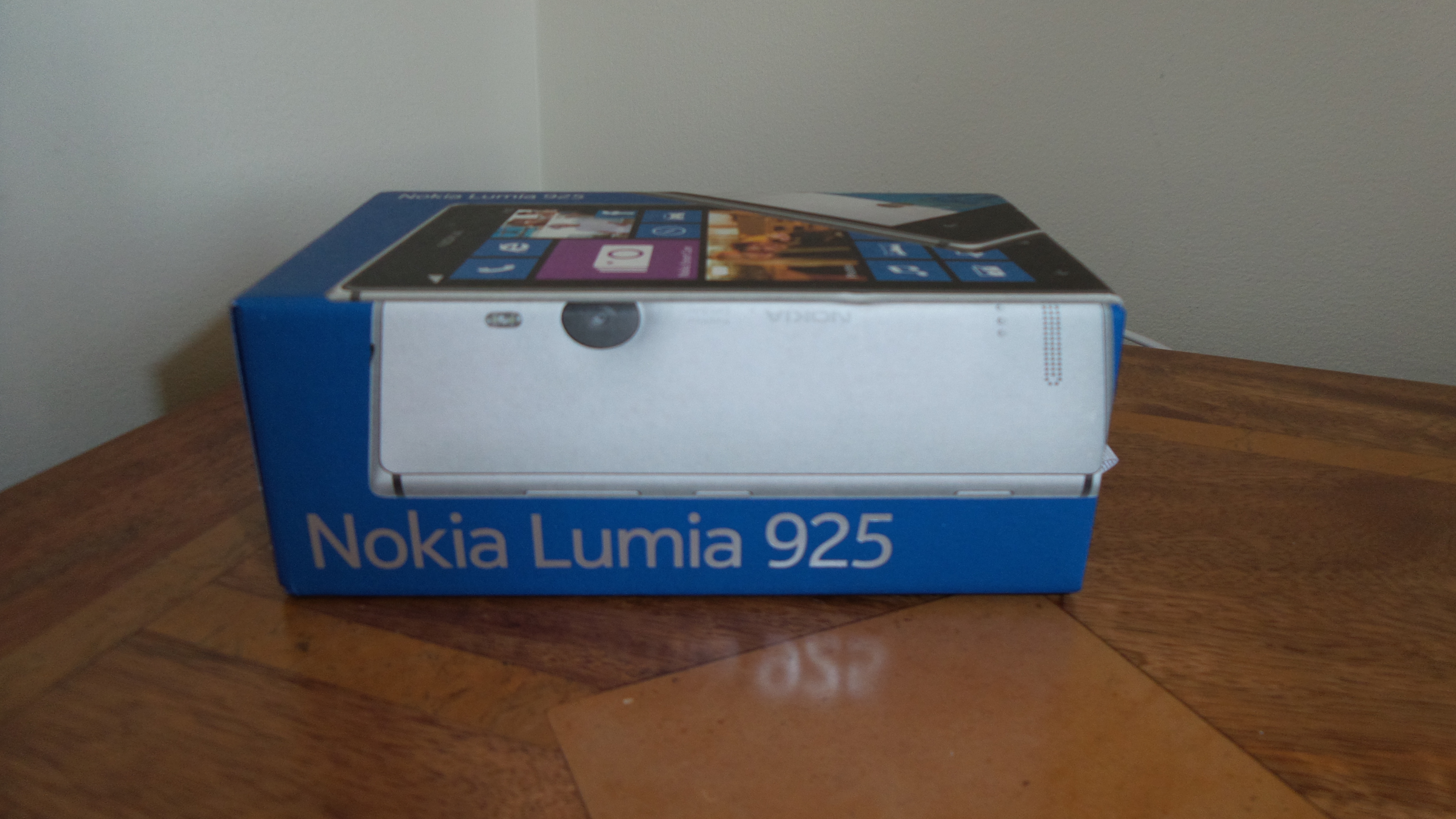
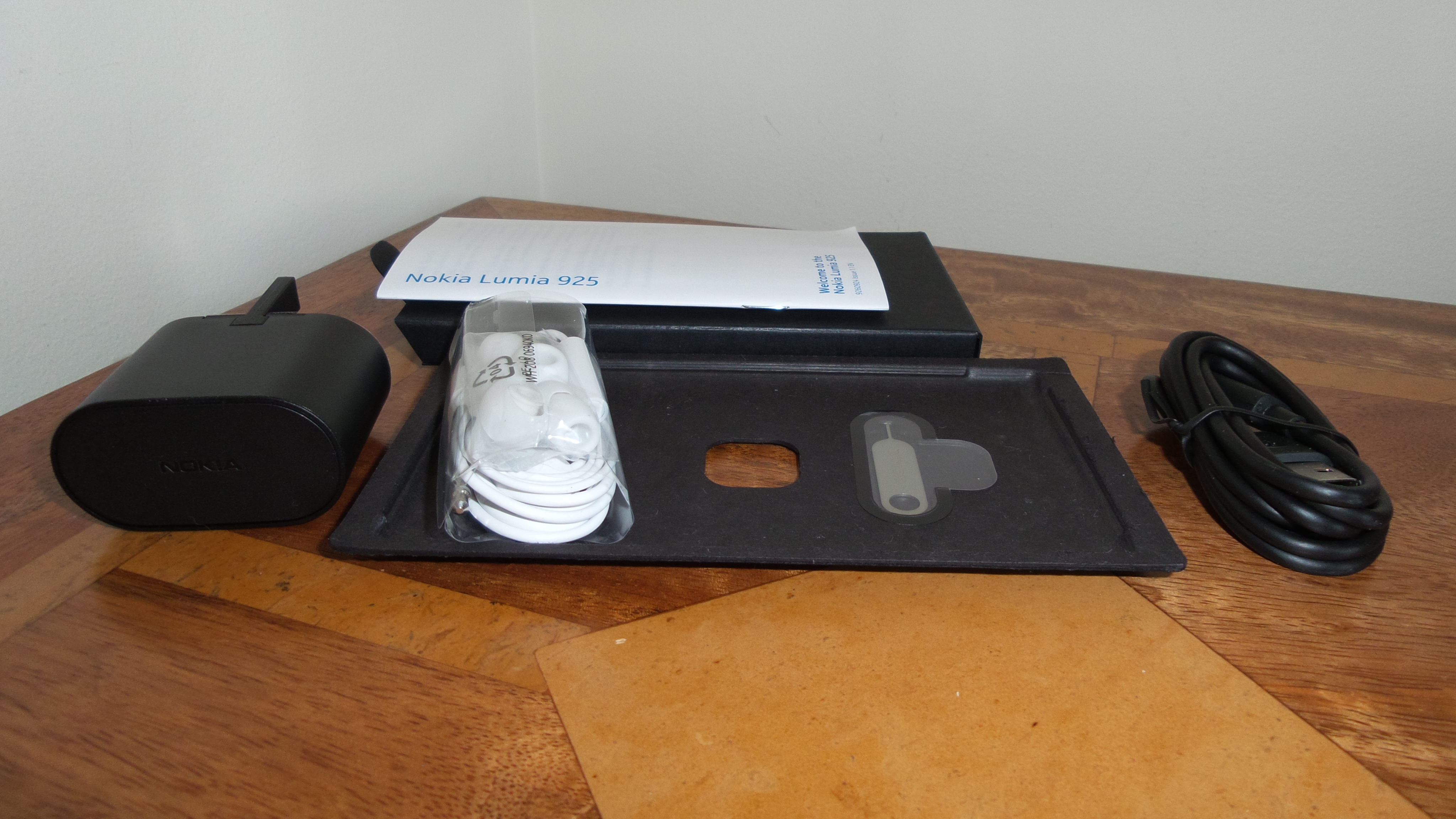
Photo of box and contents. Contents include micro sim ejector tool, guide, usb lead, headset and UK adapter as well as the Lumia 925.
20130807_111105
20130807_111231

The official official hardware specifications of the Lumia 925 are –

Dimensions – 129 mm x 70.6 mm x 8.5 mm, Weight: 139 g

Screen – 4.5 inch, WXGA (1280 x 768) with PureMotion HD+, ClearBlack, Brightness control, Orientation sensor, High brightness mode, Refresh rate 60 Hz, Corning® Gorilla® Glass 2, Sculpted glass, Easy to clean, Lumia Color profile, Wide viewing angle, Sunlight readability enhancements
Display colours -TrueColor (24-bit/16M)
Aspect ratio – 15:9
Pixel density – 334 ppi
Display technology – AMOLED
Touch screen technology – Super sensitive touch

Sensors – Ambient light sensor, Accelerometer, Gyroscope, Proximity sensor, Magnetometer

Operating keys – Volume keys, Camera key, Power/Lock key

SIM card type – Micro SIM
Charging connectors – Micro-USB
AV connectors – 3.5 mm audio connector
System connectors – Micro-USB-B

Connectivity – USB – USB 2.0, Bluetooth – Bluetooth 3.0
Bluetooth profiles – Object Push profile (OPP) 1.1, Hands-free profile (HFP) 1.5, Advanced Audio Distribution Profile (A2DP) 1.2, Audio/Video Remote Control Profile (AVRCP) 1.4, Phone Book Access Profile (PBAP) 1.1
Wi-Fi – WLAN IEEE 802.11 a/b/g/n
WLAN Security – WPA2 (AES/TKIP), WPA, WPA-Personal, WEP, WPA2-Personal, WPA-Enterprise, WPA2-Enterprise, PEAP-MSCHAPv2, EAP-SIM, EAP-AKA
NFC – Secure NFC for payment, Sharing, Pairing, Tagging
Other wireless connectivity – Wi-Fi Channel bonding

Data Network – LTE network bands3, 1, 3, 7, 8, 20, LTE max data speed DL 100 Mbps
LTE max data speed UL 50 Mbps
WCDMA network: 900 MHz, 2100 MHz, 1900 MHz, 850 MHz
WCDMA max data speed DL: HSDPA – 42.2 Mbps
WCDMA max data speed UL: HSUPA – 5.76 Mbps
GSM network: 850 MHz, 900 MHz, 1800 MHz, 1900 MHz
GSM max data speed DL: EGPRS 236.8 kbps
GSM max data speed UL: EGPRS 236.8 kbps

Power – Battery BL-4YW , Battery capacity: 2000 mAh
Battery voltage 4.2 V,Removable battery: No
Maximum standby time 18 days,Talk time (2G), 18.3 h,Standby time (3G) 440 h
Talk time (3G) 12.8 h, Maximum cellular network browsing time 6 h
Music playback time 55 h,Video playback time 6.6 h
Maximum Wi-Fi network browsing time 7.2 h
Wireless charging with accessory cover

Processor – Qualcomm Snapdragon™ S4, Dual-core 1.5 GHz Dual-core 1.5 GHz
User data storage, In device, SkyDrive cloud storage
RAM 1 GB ,Mass memory5, 16 GB or 32 GB, Free cloud storage: 7 GB

In part 2 of my first impressions, I will cover the software included as standard with this phone. And it is like an army of extra software that Nokia include with their Windows Phone devices.

So I turned the Lumia 925 on for the first time (after inserting my micro sim card) and then sat back admiring the gorgeous screen. It is not the highest ppi but at 334ppi on a 4.5 inch screen, with Nokia’s Puremotion HD+ and ClearBlack technology, it is simply stunning. The other aspect that is noticeable is the comfort when holding the Lumia 925. With the gentle curve of the back it is a joy to hold. It reminded me of the solid and comfortable feeling when holding my Lumia 620. In addition the Windows Phone experience of oversizing menus etc is simple, clever and effective. It makes reading and using the device so much easier. The on screen keyboard is probably the best I’ve used on any device.

The other interesting part of the Lumia 925 is the wireless charging. With the official protective back cover, this also allows the Lumia 925 to be charged wirelessly. I wish more phones provided this functionality out of the box.

Anyway, I have to now explore the software suite Nokia include and the special camera optics. More tomorrow, with a closer look at the software included.

Samsung Galaxy S4 Zoom – Review Part 7

2013-08-03 07.36.03

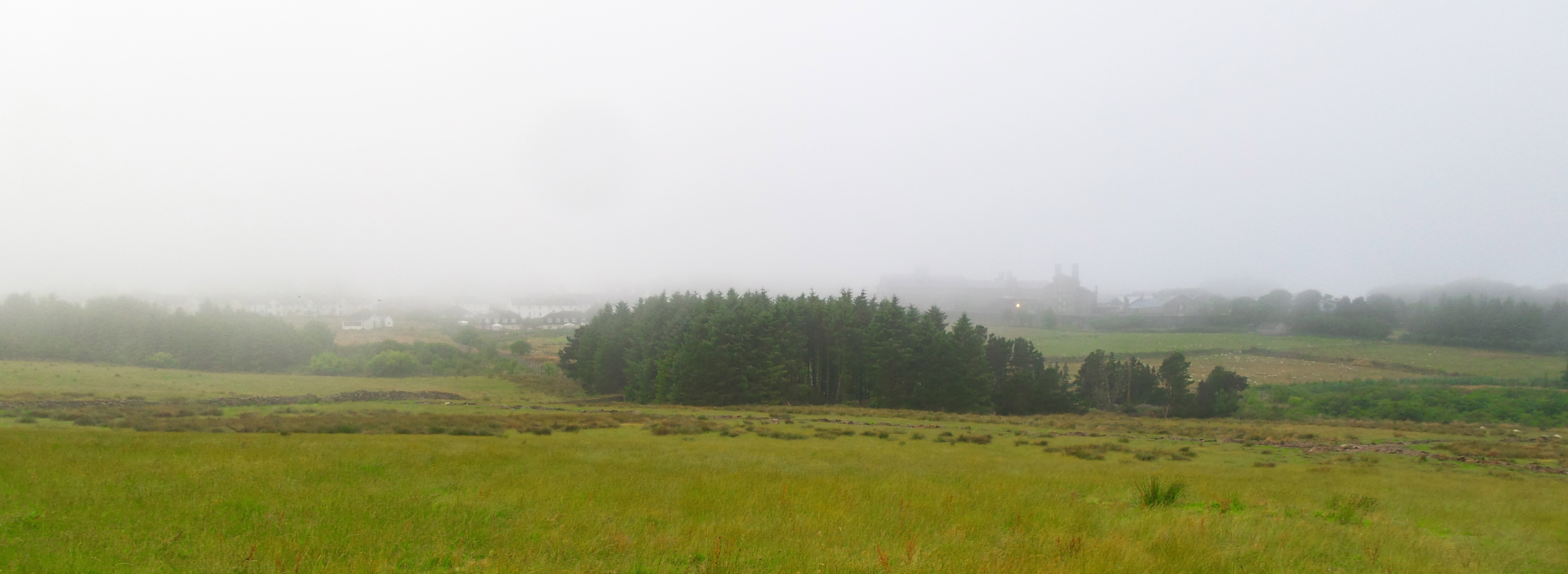
Shot taken at weekend with the S4 Zoom, no editing. View of the morning fog, Princetown, Dartmoor, Devon, Uk.

To recap on the earlier review sections click here.

Using a device as your main daily driver, with no other option to fall back on really does focus on the weakness and strengths of any device. I have discovered all sorts of nuances, strengths and weaknesses but overall this is a wonderful piece of kit, even with its limitations.

So, if you recall I mentioned the low resolution Panoramic mode photos. I discovered that if you take the panoramic photos holding the S4 Zoom vertically instead of horizontally, the quality jumps from 200kb to about 700kb. I am waiting for Clove Technology to get feedback from Samsung as to whether this is the maximum quality or a fault. But I imagine based on my testing it is not a fault but the maximum quality. Is this a deal breaker for most people, probably not. Other nuances as mentioned before include low internal memory of 8gb, even with apps to SD card supported out of the box, this does not move the app data so not ideal for gamers. Also, worth remembering that it has a smaller processor than the standard S4, low resolution screen and in speed tests is not lightning fast, but more runs along at an average pace. I think I have been spoilt by the speed of the HTC One. But here is the crazy thing, despite my previous cravings for a powerhouse device with the best screen, processor and tons of on board memory, a thin and fairly lightweight device, I am enamelled by the S4 Zoom. I just love it.

Other little things I have noticed is connecting the S4 Zoom to the Mac in camera mode brings up 700 plus photos, so totally useless. I am going to have to remove the micro SD card and import that way in future. Another oddity, I emailed some photos from my Mac to myself, opened up the photos on the S4 Zoom in the Gmail app, saved the photos, but when going to view them in the gallery app, they are not standard jpg or png and cannot be renamed etc. So I am now using the Samsung email app.

I have been using the S4 Zoom out and about this week. I was in a bank, and the cashier said “did you just reply to a text message on your camera”. I passed across the S4 Zoom for her to have a look and she was fascinated. As I was leaving, I heard the cashier tell the others how clever the camera was with a phone built in. Next, I was in a tech type store, and a young sales assistant asked is that the S4 Zoom. I said yes and let him have a look. His colleagues then gathered around and it caused quite a talking subject. Clearly the S4 Zoom piques interest.

So what has it been like to use? Well brilliant to be honest. The weight and overall size is not now a problem whatsoever. As it is based on the S4 Mini, it fits easily in the hand as it is not an oversized 5 inch plus disaster. The S4 Zoom is 2.8cm deep if you include the camera lens, but the depth is not an issue. The S4 Zoom handles all my internet, email, messaging, rss news feeds, forums and blog updates, social networking, replaces my TV and DVD remote using the built in infra red blaster, podcasts, and gaming. I added gaming. The builtin loudspeaker is excellent too, loud and clear.

I have been very selective as to the games installed, but they are mostly all games that work with my Mogo Pro Game Controller which connects via bluetooth. This works really well with the S4 Zoom. Games installed include SuperGNES emulator, R-Type, AlphaWave, Meganoid 2, Canabalt HD, Doodle Jump, Submarine Attack, Final Freeway 2R, Sonic, Pac Man, Asphalt 7 and many more.

I must admit, it does look strange using what looks like a camera to operate a TV, in fact making a phone call is even crazier looking, as it appears as if you are talking into a camera. Going back to the point that it is based on the S4 Mini, you get the Samsung experience and without too much of the useless memory hogging features found in the standard S4. The camera module has loads of different modes, to take the guess work out of what settings you need to change to take a particular shot. So if you went to a fireworks display, you would use the fireworks mode. I keep a cheap full size tripod in my car, and love being able to connect it to the S4 Zoom as simple as ABC, and without the need or fuss of finding an adapter first to connect to my phone, which would then connect to the tripod.

And then there is using the S4 Zoom as a camera. You have the great feeling, that whatever you throw at it, you will get a decent photo. With night shots or indoor, the xenon flash makes a remarkable difference. And then there is the lens which has 10 times optical zoom. Now I have a quality zoom option on my phone, I tend to use it a lot more often. I look at a shot and think, I will just zoom in a bit more to get a closer shot. I used it last week, when it was lashing down with rain, to take a photo of a crow from inside my car. I simply lowered the passenger window, and zoomed right in to the bird. I am still exploring all the different options, but so far have been impressed with all the results.

Case options for the S4 Zoom are limited, but last week I posted details of a silicone case I received that came with a screen protector. The silicone case added extra grippy parts too. I also bought from a SuperGrip Universal Case Compatible Car Mount which works a treat with the S4 Zoom. The Zoom makes a great GPS too.

Finally, the S4 Zoom has a removable battery and micro SD card. So if you knew you were going to be taking thousands of photos, you could carry additional micro SD card and a spare battery (not available yet). Another benefit of the removable spare battery is when the old ones starts wearing out, you can simply change it for another.

If photography is your thing, or you always want to take a decent photo, the S4 Zoom could be right up your street.

Available from Clove Technology

To recap on the earlier review sections click here.

Saturday Reading – a highlight of reviews on my blog

It is often difficult to find the reviews of devices and accessories I have written about, so below is a quick way to find all the articles for the key reviews. Or use the top right search box to search for anything on my blog.

HTC One

Samsung Galaxy S4 Zoom Review

Sony Xperia Z Tablet

Samsung Note 2 review

Nokia Lumia 620

Audio Technica ATH-AD900x Headphone review

Fiio E12 Headphone Amplifier

Olloclip 3 in 1 Lens review for iPhone 5

Trident iPhone 5 case review

Bluetooth iPad Mini case review

Glif+ for iPhone 5 review

USB Fridge Review

USB Rollup Drum Kit

Samsung Galaxy S4 Zoom – Review Part 5

Welcome to part 5 of my review of the Samsung Galaxy S4 Zoom. To recap on the earlier parts click here.

Today, I am looking at S Voice on the S4 Zoom. The camera is being tested over the weekend in more detail, and therefore next week I will publish my findings in the camera aspect of this device.

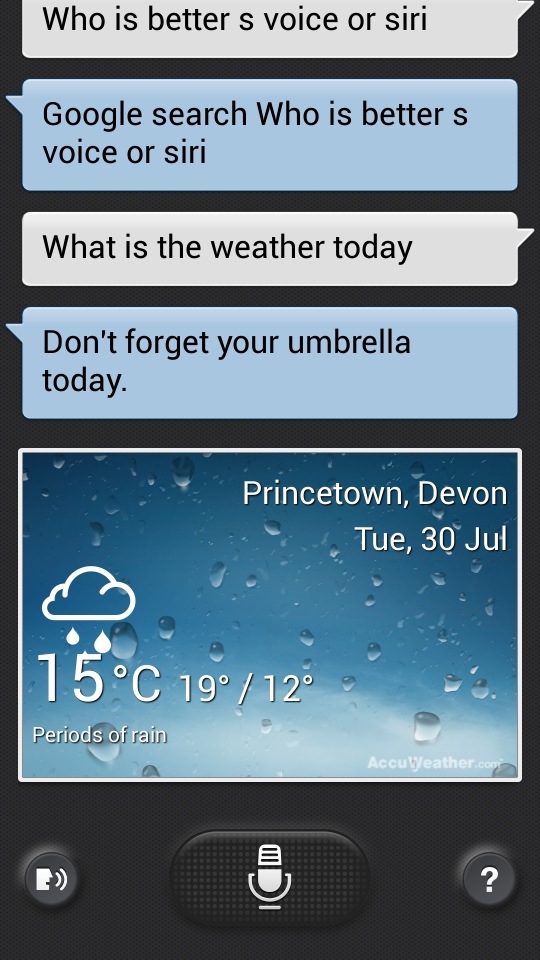
S Voice is Samsung’s answer to Siri. Except its not. Siri is like a personal assistant. You can move and change appointments with Siri in a much more natural way.

20130730-085806.jpg

20130730-085844.jpg
With S Voice you can request it to undertake basic instructions, from creating new appointments, tasks, memos, reminders, opening apps, navigate to a place or person, set timer, record voice, asking a web search, turn wifi or Bluetooth on or off, set alarms and read the news.

The voice recognition seems to work fairly well and rarely made an error. But it does need an Internet connection. Where Apple’s Siri scores higher is its ability to set a reminder for when you arrive home.

You activate S Voice by either double tapping the home button, pressing the S Voice icon, or by saying “Hi Galaxy” in Drive Mode.

In Drive Mode, S Voice reads out incoming messages and alerts. With messages you can reply using your voice hands free.

It is a handy feature when in the car, but otherwise its quicker to use other methods. Also having S Voice configured to start by double tapping the home button, does very marginally slow down the device.

20130730-090834.jpg

Samsung Galaxy S4 Zoom – Review Part 4

Welcome to part 4 of the Samsung S4 Zoom. Earlier parts and first impressions can be read here.

Today I am going to look at Easy Mode on the S4 Zoom.

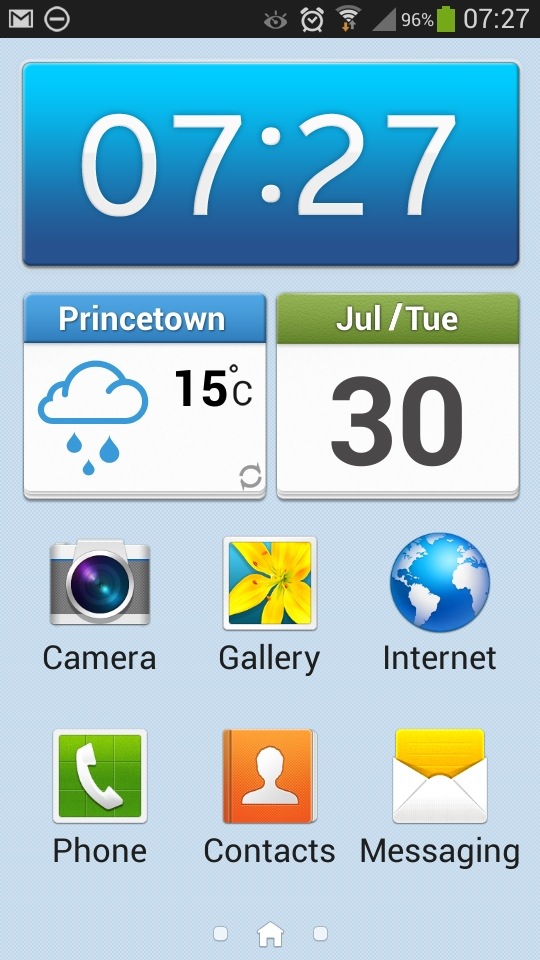
Easy Mode is a simpler launcher for people not that familiar with smartphones or just want a non complex operation.

20130730-081807.jpg
As you can see from the above screen shot you get nice large icons. That is carried across to the other 2 pre configured screens.

20130730-082254.jpg

20130730-082314.jpg
Where possible, tapping deeper into the apps and settings reveals just as simple and easy to read options.

20130730-082510.jpg
Ironically, I quite like the simplicity of easy mode. But it only allows 3 home screens and no widgets. What you see is what you get so clearly isn’t for everybody.

Samsung Galaxy S4 Zoom – Review Part 3

I hope you have enjoyed the first 2 parts of the S4 Zoom review and early impressions. To recap on those parts click here.

Today, I am going to cover off some of the issues I have encountered. I probably won’t be able to stretch and test the camera due to the rainy UK weather until the weekend.

So in no particular order these are the issues or observations –

– battery life is fairly reasonable so far. I have used the S4 Zoom constantly and I can get through a day from 6am to 10pm. But no more. That is with using the camera, a few calls, twitter, blog, lots of stuff syncing and Internet. In fairness the battery is fairly hefty and I have 90 apps installed.

– the battery is removable but I cannot so far find anywhere even from Samsung that is selling the battery. In the long term, I would definitely want a spare battery kept with me especially if I was going to be snapping loads of photos.

– charging – thankfully regardless of whether via mains or USB the phone seems to charge fairly quickly.

– car GPS mount – my universal mount can’t handle the depth of the S4 Zoom and in my brief hunt for a new one cannot find anything. Any suggestions would be grateful.

– cases – you must be having a laugh, I have only found one case on eBay which is a silicone type affair for £3.90. It looks shocking, but it is better than nothing. Samsung are meant to have a bespoke case for this device, but nothing is available yet. In fact accessories for this device are going to be few and far between.

– story album – Samsung include an app called Story Album. You select some photos and make an album which you can then get printed and posted to yourself. Except, you select the photos and nothing further happens. Apparently, Samsung have suggested I need to hard reset my phone and some software I have installed might be clashing with it. Well no chance of that for a while until I have tested everything I need, and then I might try again. But I reckon its the app.

– auto focus on the camera – maybe me, but sometimes it seems to struggle to auto focus. I need more time to test camera but indoors this is what I have observed.

– camera – talking of the camera, I need to familiarise myself with the options, but strangely I did find the HTC One concept of taking photos much easier as with the HTC One you didn’t worry about which mode you just took the photo and edited it afterwards

– photos – no question about it, you get a decent quality photo. Optical zoom is brilliant being on your phone as often you do need to zoom in to a photo. I have captured views that no other phone could have managed due to optical zoom. Digital zoom is useless in comparison.

– speed – it takes about 1.5- 2.0 seconds to take the first photo from pressing the camera icon and then using shutter button. The HTC One could have taken 20 photos in the meantime, albeit much lower quality. As the S4 Zoom is more like the S4 Mini it’s processor is not as powerful. I don’t get any issues with its speed, and it is not slow, but then it is not fast like the HTC One. You do get the odd slow down, but it is odd ones and has no impact is usage. Makes you wonder if we really need Snapdragon 800 processors!

– voice control – you have the ability to control many apps by voice. Sometimes it works very well, and sometimes it is a bit hit and miss

– screen – it comes with a lower resolution screen than the standard S4 and you do notice the difference. Put the S4 Zoom side by side to the HTC One and it really shows how incredible the HTC One screen is. It’s a real wow moment. In addition, the S4 Zoom just isn’t a bright screen compared to the HTC One.

– shape, size and weight – it’s heavy. And you notice it in shirt front pockets but it fits with ease. Mainly as its not too wide or too tall. It’s fairly comfy in the hand due to its curves, but the Zoom lens does get in the way sometimes. I’m getting used to it though

– sound – loud and good audio quality, so makes for a good MP3 player, or for listening to podcasts over the loud speaker.

– no notification led – it got none, and no light for charging state either.

In reality you have a camera with a smartphone attached. It’s a good combo as you can do nearly anything and achieve high quality photos. It is still early days, and the main camera test is yet to be done.

If you have any questions, please ask. I should have all the answers.

Anyway, here is a photo taken last night. Zoomed in and cropped.
2013-07-30 21.48.35-1

Samsung Galaxy S4 Zoom – Review Part 1

Yesterday, I provided my early impressions of the S4 Zoom. Click here.

Today, I am going to start reviewing the device, and at the same time will answer the many questions I have already received about this device. As I mentioned yesterday, I got my Samsung Galaxy S4 from Clove Technology.

The official specifications of the S4 Zoom are –

-Xenon Flash, 16MP BSI CMOS Sensor, 24-240mm 10x optical zoom
-Optical Image stabilisation, F3.1-F6.3 Lens, 4fps Burst Shot, ISO 100-3200
-1080p video recording, Dedicated shutter key
-Zoom Ring for quick sharing of photos and access of the handset’s interface 1.9MP front facing camera
-Expert Mode for you to change shooting parameters,Smart Modes to help for your photos
-HDR Mode, Panorama,Best face to adjust smiles and eyes
-Multiple filters and modes to enhance your photos
-8GB Internal Storage (5GB user-accessible), possible to move apps to micro SD card
-MicroSD slot (expandable up to 64GB)
-Bluetooth, WiFi, 3G
-IR Blaster with Peel software
-3.5mm earphone Jack
-Accelerometer, Geomagnetic, Proximity, Gyro, RGB Light
-A-GPS and GLONASS for navigation
-Li-Ion 2330mA
-Up to 7 Hours Internet Usage Time (3G)
-Up to 9 Hours Internet Usage Time (Wi-Fi)
-Up to 10 Hours Video Playback Time
-Up to 46 Hours Audio Playback Time
-USB Chargeable
-Up to 13 Hours Talk Time (W-CDMA)
-Up to 570 Hours Standby Time (W-CDMA)
-1.5GB RAM
-125.5 x 63.5 x 15.4 mm
-208 g weight
-USB v2
-Super Amoled Display , 4.3 inches qHD resolution of 540 x 960
-GSM 3G, EDGE / GPRS (850 / 900 / 1800 / 1900MHz)
-HSPA+ 21Mbps / 5.76Mbps (850 / 900 / 1900 / 2100MHz)
-802.11a/b/g/n 2.4+5GHz, Wi-Fi Direct available
-PBAP, A2DP, AVRCP, HFP, HSP, OPP, SAP, HID, PAN, DI, MAP
-NFC available but not available Mobile Payment
-DLNA (Samsung Link), MHL 1.2 support
-KIES, KIES Air support
-Dual Core Processor
-1.5GHz CPU Speed
-Video Format: MPEG4, H.264, H.263, VC-1, WMV7 / 8, Sorenson Spark, VP8, MP43
-Full HD (1080p) Video Playback available
-Recording up to 30fps
-Audio Format : MP3, AMR-NB / WB, AAC, AAC+, eAAC+, Vorbis (OGG), FLAC, WMA

So being a Samsung device, everything including the kitchen sink in terms of specifications are included, but actually one key feature is missing. And that is the notification LED. That means no charging light too. I do miss this at the moment.

The apps Samsung include with the Zoom are WatchOn (the infra red blaster and TV Peel software), S Planner, Gallery, Samsung Apps, Samsung Hub, S Translator, Internet, TripAdvisor, Group Play, Video, Story Album, Music, Flipboard, Photo Suggest, Paper Artist, Video Editor, Calculator, Clock, Help, Downloads, My Files, Voice Recorder, Voice Search, Settings, Samsung Link, Dropbox, S Memo, Polaris Office 5 (the viewer is included but the full version is free when you log in to Samsung Apps). That is quite a decent bunch but not a massive bloatware either.

The settings of the S4 Zoom reveal quick toggles of which you can select from wifi, gps, sound, screen rotation, bluetooth, mobile data, blocking mode, power saving, screen mirroring, wifi hotspot, s beam, nfc, driving mode, smart stay, sync, and flight mode. As you can see, considerably less from the standard S4.

Further within the settings the key areas are security. Within here you can encrypt device and sd card, set up the remote controls, sim change alert and find my mobile and a few other options. On the accounts tab, you can control you various accounts from email , dropbox, Samsung and the backup options. You can choose to backup to Google, Samsung or dropbox. Under the My Device section in settings, there is lock screen, display, sound, home screen mode, open camera, call, block mode, driving mode, safety assistance, power saving mode, accessory, accessibility, language and input, motions and gestures, smart screen and voice control. The connection tabs handles wifi, bluetooth, data useage, more networks, NFC, S Beam, DLNA, Screen mirroring and Kies. The above list does not include all the setting options, as I have only included the relevant ones. 10% got left out. But even just listing the options is a task in itself.

Anyone using a Windows Phone, should now understand why WP8 is so far behind android. Anyway, back to the settings. Lockscreen – here you can select the type of screen lock preferred from swipe, face, pattern, pin or password. With swipe selected, you can have multiple widgets on the lockscreen, customise apps, app shortcuts, pick your unlock effect, and more.

Display – options for wallpaper including live wallpapers, notification panel options, screen mode options which include adapt, dynamic, standard, professional photo and movie. I use adapt so it changes according to your environment. Daydream options include colours, flipboard, photo frame and photo table. Fonts – options for font size from tiny, small, normal, large and huge. Font styles include default, choco cooky, cool jazz, rosemary and Samsung Sans plus the option of downloading tons more. Other options for touch key light duration from 1.5 seconds, 6 seconds, always off and always on. Options to display battery percentage, edit after screen capture, and auto adjust screen tone which saves battery.

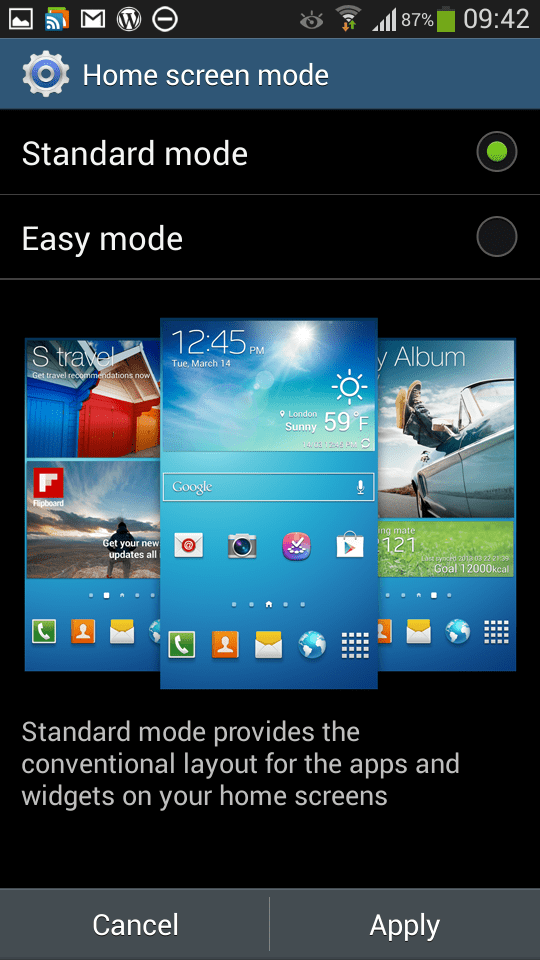
Sound settings options have everything from volume controls for media, ringtone, notifications and system levels. Vibrations intensities can be set for incoming call, notifications and haptic feedback. You can select all your different tones and ringtones of which there are loads to choose from. You can also turn on or off keypad, touch, screen lock tones, haptic feedback on or off and also use the adapt sound option to find the best sound for you during calls and music. This is a very good option to setup. Make calls clearer. If you are a novice the home screen mode allows you to switch from the standard android setup to easy mode. There is also an option to open the camera everytime you press the power button. Call setting options have about another 20 options from call rejection options, call reject messages, alerts and more.

Blocking mode is excellent. You can use this to disable incoming calls, notifications, alarms and timers. You can have this setup as on or off or to work between certain times. I have this on permanently between 10pm and 6am with the exception for calls allowed from my favourite contacts.

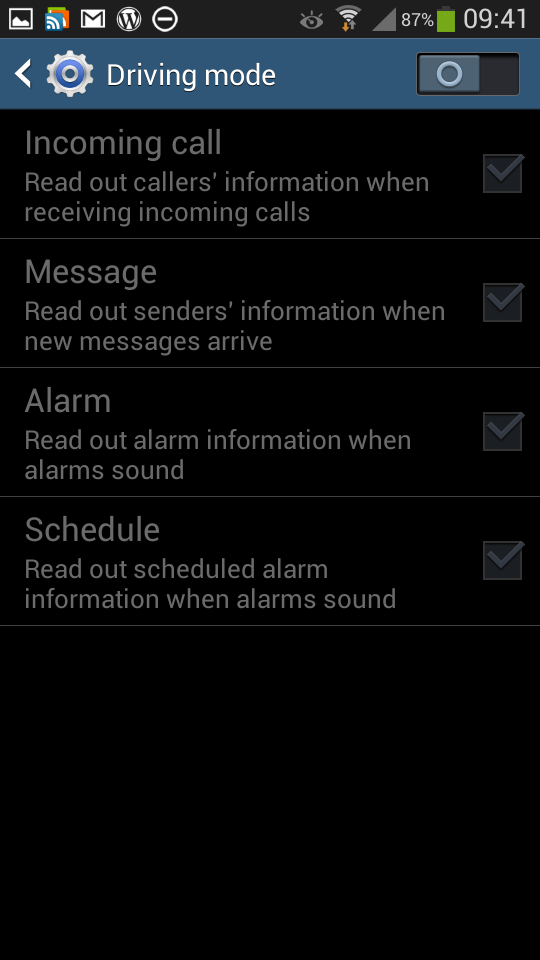
Driving mode has options to read out aloud caller information, messages, alarms and schedules. And with Samsung S Voice you can reply too. S Voice is a whole subject on itself.

Safety Assistance – in an emergency by holding the volume up and down keys for 3 seconds will send messages at your selected interval to your selected emergency contacts with a message your setup and your exact location. Super clever stuff.

Power Saving mode – options for CPU reduction, screen lowering, and haptic feedback off or on.

Accessory – there is a special flip case coming out, and you have the option to unlock the screen with this case in accessory setting. Also the HDMI output audio can be changed from stereo to surround.

Motions and gestures – these include direct call (lift phone to call contact displayed on screen), smart alert , tilt zoom, pan an icon, pan images, turnover to mute calls or pause sounds. Smart screen – smart stay keeps screen on when you are looking at it, smart rotation keep screen rotated according to your face orientation. You can turn these on or off.

And finally Voice Control settings – incoming calls can be rejected or answered, Alarms can be snoozed or turned off, Camera can take photos by voice and operate a lot of the features, and control music playing too eg next, stop, pause, volume up , volume down. The Voice settings are in addition to S Voice app which does considerably more.

Anyway, that is a summary of what is included within the S4 Zoom. There are plenty more features within each of the apps, of which the camera is most fascinating. Just to give you an idea of the camera quality have a look at this photo I took on my Flickr account.

More tomorrow. But in the meantime, below are some screenshots of the various settings and items mentioned above.

2013-07-28 09.40.572013-07-28 09.41.102013-07-28 09.41.212013-07-28 09.41.362013-07-28 09.41.422013-07-28 09.41.552013-07-28 09.42.282013-07-28 09.42.352013-07-28 09.42.532013-07-28 09.43.022013-07-28 09.43.122013-07-28 09.43.272013-07-28 09.43.33

30 minutes with the Samsung Mega

That’s right. You will have read, or will read I spent 10 minutes with the Nokia Lumia 925, but 3 times the time with the Samsung Mega.

So let me start by saying this phone is absolutely HUGE HUGE HUGE and HUGE. It makes the Samsung Galaxy Note seem small, the Samsung Galaxy S4 pint sized and the iPhone 5 a dinky toy. The Mega comes with a whopping 6.3 inch screen versus the iPhone 5 which is 4 inches.

First up, I loved the large form factor. Using the S-Planner app the month view on the Calendar displayed so beautifully. Everything from lists, photos , in fact any app just looked so clear on the big display. It also felt okay in the hand and I wouldnt have a problem making phone calls with it. For long phone calls, a Bluetooth headset may be a better option. In terms of styling it followed the Samsung look, so was durable plastic. Unlike the Note that has a stylus, this phone doesn’t.

I spent a lot of time trying out all the various functions and came away with one thought. Why didn’t Samsung include some proper specifications. This large slab has only 8gb of memory and then has many other features reduced. Shame.

I can see the Sony Z Ultra fitting well in my hand which has a 6.44 inch screen, now that I have seen and held the Mega.