Category Archives: Android

Nvidia Shield Tablet – console mode and game recording

I spent a lot of time yesterday with the Nvidia Shield Tablet connected to my TV via the hdmi cable. I also was charging the tablet whilst gaming.

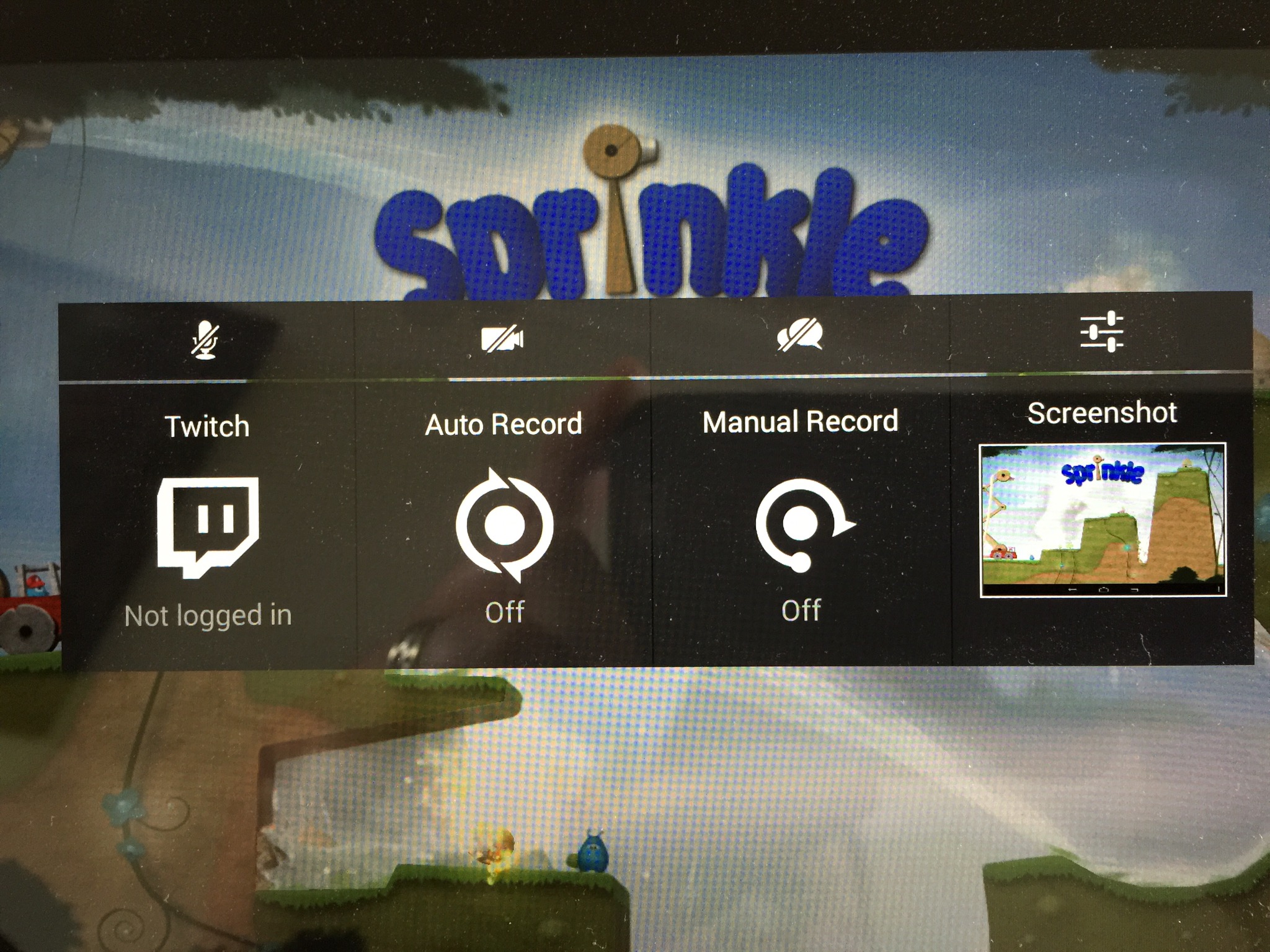
One of the features of the tablet is recording your game play as in screen recording or even that plus your actions whilst playing and screening this to the Twitch network.

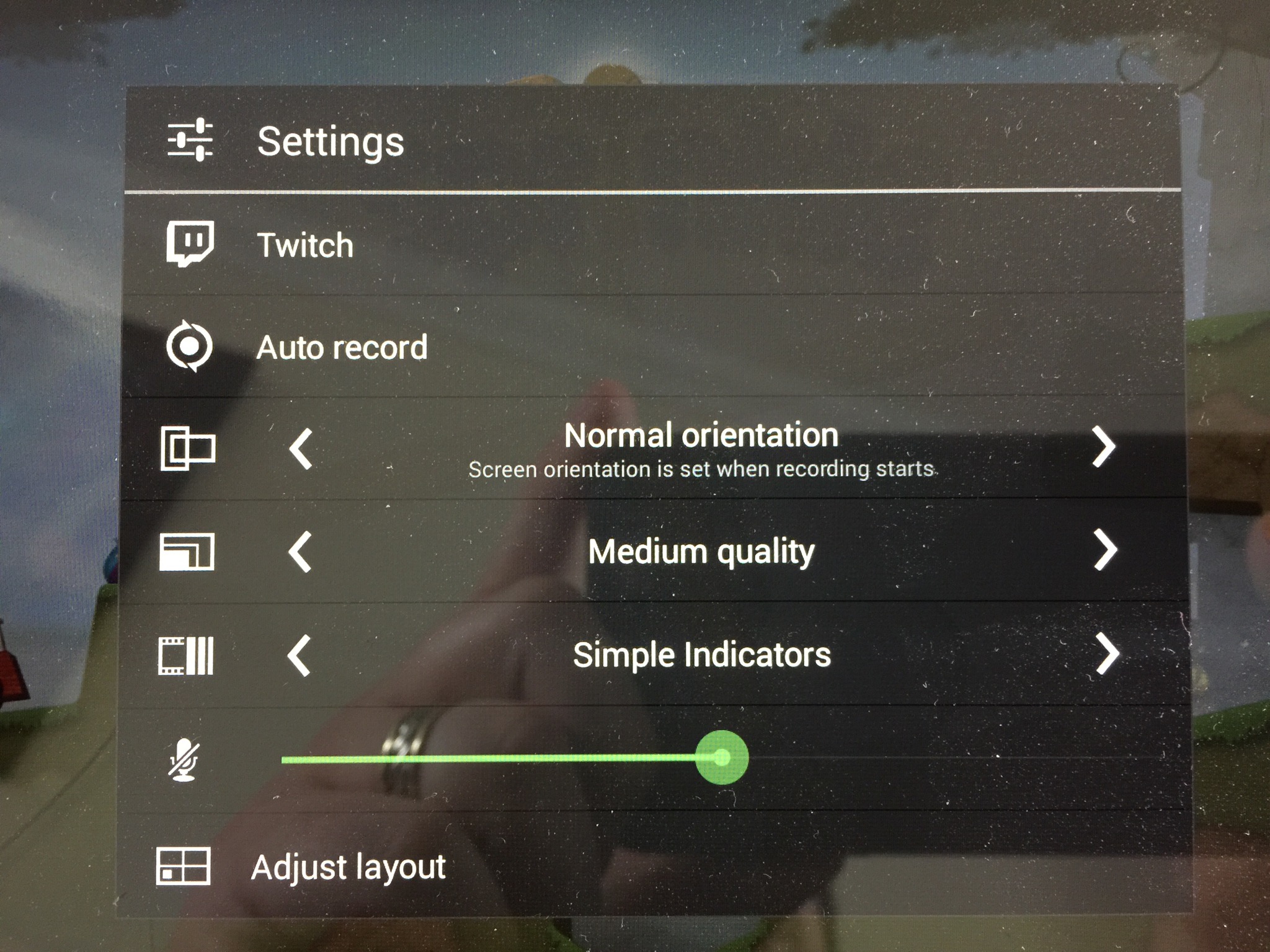
Here are the options for recording and for the Twitch network recording.

IMG_1113.JPG

And the next screen.

IMG_1112.JPG

So here is Leo’s Fortune on the TV screen. In real life the colours and graphics looked lovely. Not sure the photo captures everything.

IMG_1109.JPG

And finally here’s a few games recorded whilst I was playing. I was playing these on the TV.

Nvidia Shield Tablet – Battery and Games Testing

Today is a do not disturb day. I’m gaming and at the same time running battery tests on the Shield Tablet.

How many hours can the tablet last playing Half Life 2 or Portal? It’s a tough test to undertake!

According to Nvidia the Shield can last up to 19 hours. Somehow I’m not sure it will playing Half Life 2 !

Nvidia Shield Tablet – hardware and cover review

IMG_1084_2

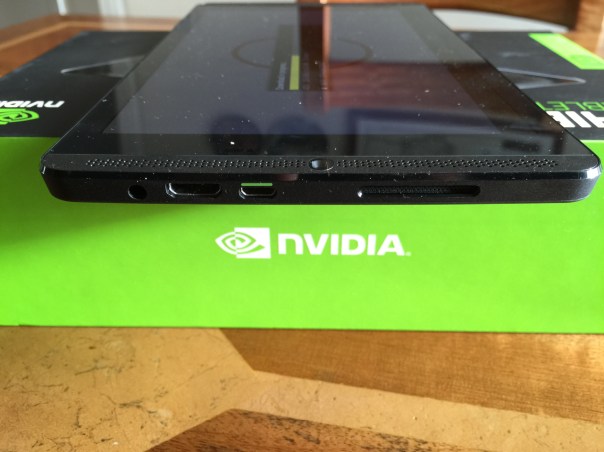
Today I am going to look at the Nvidia Shield Tablet hardware in more detail. I will start by stating this is not built to the same standards as the Apple iPad. Nor is its 1080p screen as good as the iPad. But it is nonetheless a decent enough screen by far.

If you look at the photo above you can see on the screen side the right “front” loudspeaker. The stereo speakers are dual bass reflex port with built-in microphone. The sound from the left and right front speakers is reasonable and adds to the media enjoyment. You will notice sound also comes out of the side too, top right side slat. On the front screen side is also the 5mp front facing camera. The rear also has a 5mp front facing camera. I will cover off the cameras in another post, but needless to say the camera software included is more than expected. Going back to the right side, from the bottom right you can see the headphone jack, HDMI and then micro usb socket. You will notice the micro usb port has green paint on the top. The cable also has one side green, allowing for easier connecting.
IMG_1086

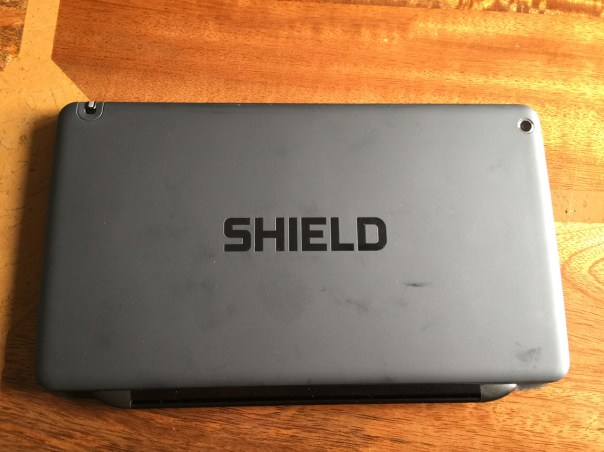
The rear is a soft plastic finish. Nothing special but easy to hold. It does show my fingerprints a little. On the rear you can see the 5mp rear camera and the stylus.
IMG_1081_2

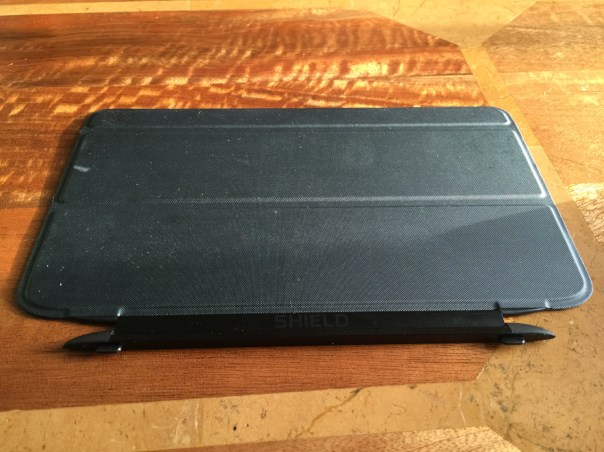
The Nvidia Shield cover is a smart cover. It has two stick out bits that slot in to the gaps on the side of the tablet. The cover is held in place by magnets and can only be held one way around. It is a strong magnetic connection. The cover has a keyboard, and two upright modes. Opening the cover turns the tablet on and off.

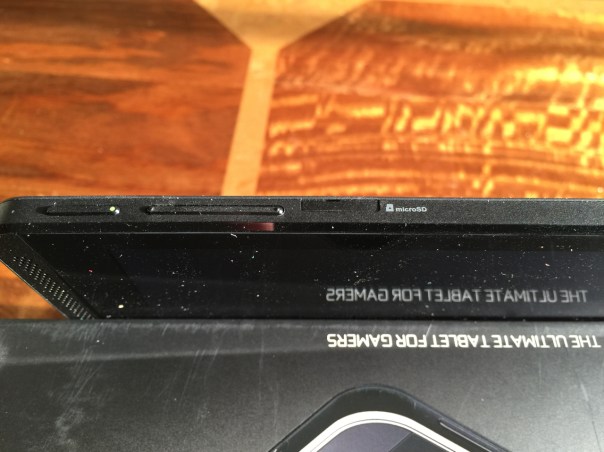
On the top edge is the power and volume controls. I must admit I find the power button fiddly to use.
The top edge also house the micro SD slot and micro SIM card as well as the stylus.
IMG_1082
IMG_1083

So overall the hardware is fine and to be honest I don’t miss my iPad, and at £239 for the 16 GB WiFi only model and £299 for the 32 GB LTE/WiFi it really is a great offering.

The full specs are as follows –

– Processor NVIDIA® Tegra® K1 192 core Kepler GPU, 2.2 GHz ARM Cortex A15 CPU with 2GB RAM
– Display 8-inch 1920×1200 multi-touch Full HD display
– Audio Front facing stereo speakers, dual bass reflex port with built-in microphone
– Storage 32 GB (WiFi+4G LTE) / 16 GB (WiFi-only)
– Wireless 802.11n 2×2 Mimo 2.4 GHz and 5 GHz Wi-Fi
– Bluetooth 4.0 LE
– GPS / GLONASS
– Connectivity WiFi+4G LTE or WiFi-only
– Mini-HDMI output
– Micro-USB 2.0
– MicroSD storage slot
– 3.5 mm stereo headphone jack with microphone support
– SIM Card Micro-SIM
– Motion Sensors 3-axis gyro
– 3-axis accelerometer
– 3-axis compass
– Gaming Features SHIELD wireless controller compatible
– NVIDIA GameStream™
– NVIDIA ShadowPlay™
– GRID Cloud Gaming Beta
– Console Mode
– Gamepad Mapper
– Cameras Front: 5MP HDR; Back: 5MP auto focus HDR
– Video Features 4K Ultra-HD Ready
– Stylus DirectStylus 2 with 3D Paint (Included)
– Software Updates SHIELD software upgrades directly from NVIDIA
– Battery 19.75 Watt Hours
– Weight and Size Weight: 13.7oz / 390g
– Height: 8.8in / 221mm Width: 5.0in / 126mm Depth: 0.36in / 9.2mm
– Operating System Android KitKat OS (Android 5.0 Lollipop ready)
– Software Google Play™, NVIDIA SHIELD Hub, Trine 2: Complete Story, Multi language Handwriting Recognition, NVIDIA Dabbler™, JusWrite, Evernote, Adobe Reader, Camera Awesome

-Cellular Connectivity
North America: Unlocked (compatible with AT&T, please check bands supported)LTE, HSPA+, 3G, 2G, GSM, EDGE
-Outside-North America: Unlocked (please check bands supported)LTE, HSPA+, 3G, 2G, GSM, EDGE
Cellular Bands North America:LTE: Bands 2,4,5,7,17 (1900, 1700, 850, 2600, 700)
HSPA+: Bands 1,2,4,5 (2100, 1900, 1700, 850)

Outside-North America:LTE: Bands 1*,3,7,20 (2100/1800/2600/800)HSPA+: Bands 1,2,5,8 (2100/1900/850/900)
* In certain regions band 1 and voice support is enabled
Microsoft launches the Microsoft Band – cross platform fitness band – details

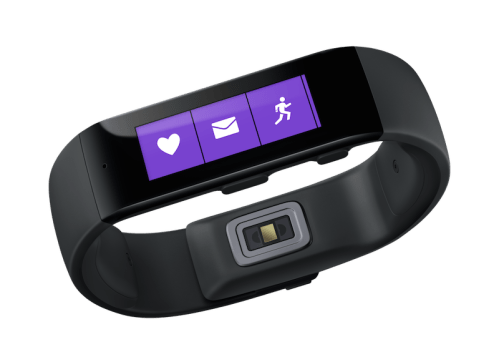
microsoft-band_hero_2

Microsoft has launched the Microsoft Band. It lasts 48 hours on a single charge and tracks all activity including your sleep. There are 10 sensors that track standard health statistics like heart rate, a UV sensor to measure sun exposure and galvanic skin response, which can identify stress. Like smart watches, the Band can also receive notifications from a user’s smartphone.

Full details of what it can do are –

– Activity tracking and goal setting : Heart rate monitor 24-hour heart rate monitor: Gives you a better understanding of your calorie burn, sleep patterns, and peak and resting heart rate so you can perform at your best.

– Run Run: Whether you’re on the treadmill at the gym or outdoors in the rain or sun, you can view your run summary on your band with personalized metrics in the phone app including pace splits and heart rate.

– Steps tracker Steps: Set a goal and track your progress. Microsoft Band calculates the calories you’ve burned and the distance you’ve traveled each day.

– Built in GPS Built-in GPS: Measures the distance you’ve run and tracks your pace and route. Save your favorites to retrace your steps and challenge yourself later.

– Calorie tracking Calorie tracking: Count the calories you burn each day. View daily or weekly stats, set goals, and receive a virtual “high-five” when you reach them.

– Sleep tracking Sleep tracking: When activated, Microsoft Band tracks the length and quality of your sleep. Analyze the sleep charts in your app to gain insights about your slumber.

– Guided workouts Guided Workouts: Fun and challenging workouts from fitness partners like Gold’s Gym, Shape, and Men’s Fitness with exercise prompts on the band and much more in the app.

-Goal setting Goal setting: Challenge yourself by setting daily step and calorie goals. Microsoft Band notifies you when you meet them so that you can stay motivated.

The Microsoft Band goes on sale for $199. Looks promising.

Source – http://www.microsoft.com/Microsoft-Band/en-us

CurrentC is already hacked before launch – reviews are not good to

CurrentC, the mobile payment system that is to rival both Apple Pay and Google Wallet, announced on Wednesday that it has been hacked and that some users’ email addresses may have been obtained.

MCX, the company behind CurrentC, sent out the email on Wednesday, revealing that its security systems were breached by unauthorized third parties within the last 36 hours. The company says its investigations suggest that only users’ email addresses were obtained, but not any additional information.

In addition on both Google Play Store and Apple App Store users are leaving one star or dreadful reviews deliberately.

Not a good day for CurrentC!

Source -Appleinsider.com & theverge.com

Forget the OnePlus One – Take the Honor 6 for £249 via Amazon

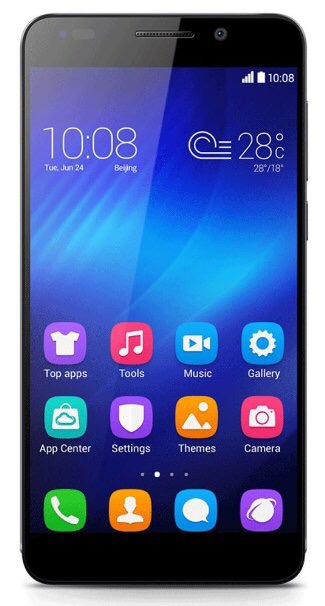
IMG_3010.JPG

Amazon are selling from today the Huawei Honor 6. At the moment it is only being offered via Amazon.

The key selling point is the price at £249. Available in black or white.

This is what you get for your money.

– OS: Android 4.4 (Emotion UI 2.3)
– CPU: Kirin 920 8 Core 1.3GHz; GPU: ARM Mali T628MP4 4) RAM: 3GB + ROM: 16GB.
– Memory card up to 64GB supported
– Display: 5.0 inch IPS Capacitive Screen, 1920 x 1080, 16M Colours
– SIM Card: Dual Micro SIMs /Multi Bands
– Camera: Front: 5.0MP; F2.0 aperture, support HDR Movie Back: 13.0MP (with LED flash)
– Connectivity: 2 x Micro SIM slot, Micro USB, Earphone 3.5mm, Memory card slot, Microphone, Speaker
– Sensors: Gravitation, Light, Proximity, Acceleration, Electronic compass, Gyroscope
– Support OTG, GPS+ A-GPS.
– Network: 1) Type: FDD-LTE & WCDMA & GSM 2) Principal card: FDD – LTE (4G Global): B1 (2100 MHZ)/B3 (1800 MHZ) TDD-LTE (4G Only works in China): B41 (2496-2690 MHZ) WCDMA (UMTS 3G) : B1 (2100 MHZ/B8 (900 MHZ) GSM (Main 2G): 850/900/1800/1900 Deputy card: SUB GSM: 900/1800/19003) WiFi: 802.11b/g wireless internet
– Bluetooth: V2.1+, with A2DP
– Languages – English, German, Spanish, French, Portuguese, Russian, Simple Chinese, Traditional Chinese, etc.
– Battery 3.7V/3100mAh Li-ion battery (Not-removable)
– Talk time: Approx 27 (Unit: Hour) 3) Standby time: Approx 414 (Unit: Hour) – – Additional Features: FM radio, Ebook, Email, Google, Search, WPS Office, Play Store etc
– Dimensions: Size: 139.6mm x 69.7mm x 7.5mm 2) Weight: 130g (Including battery)
– Package Contents: 1) 1 x Phone 2) 1 x 100~240V power adapter 3) 1 x Data cable (80cm)

Nvida Shield Tablet – more impressions

Last night I got to spend some more time with this gaming beast of a tablet. There are so many superb aspects to this tablet, a few bugs and a few surprises.

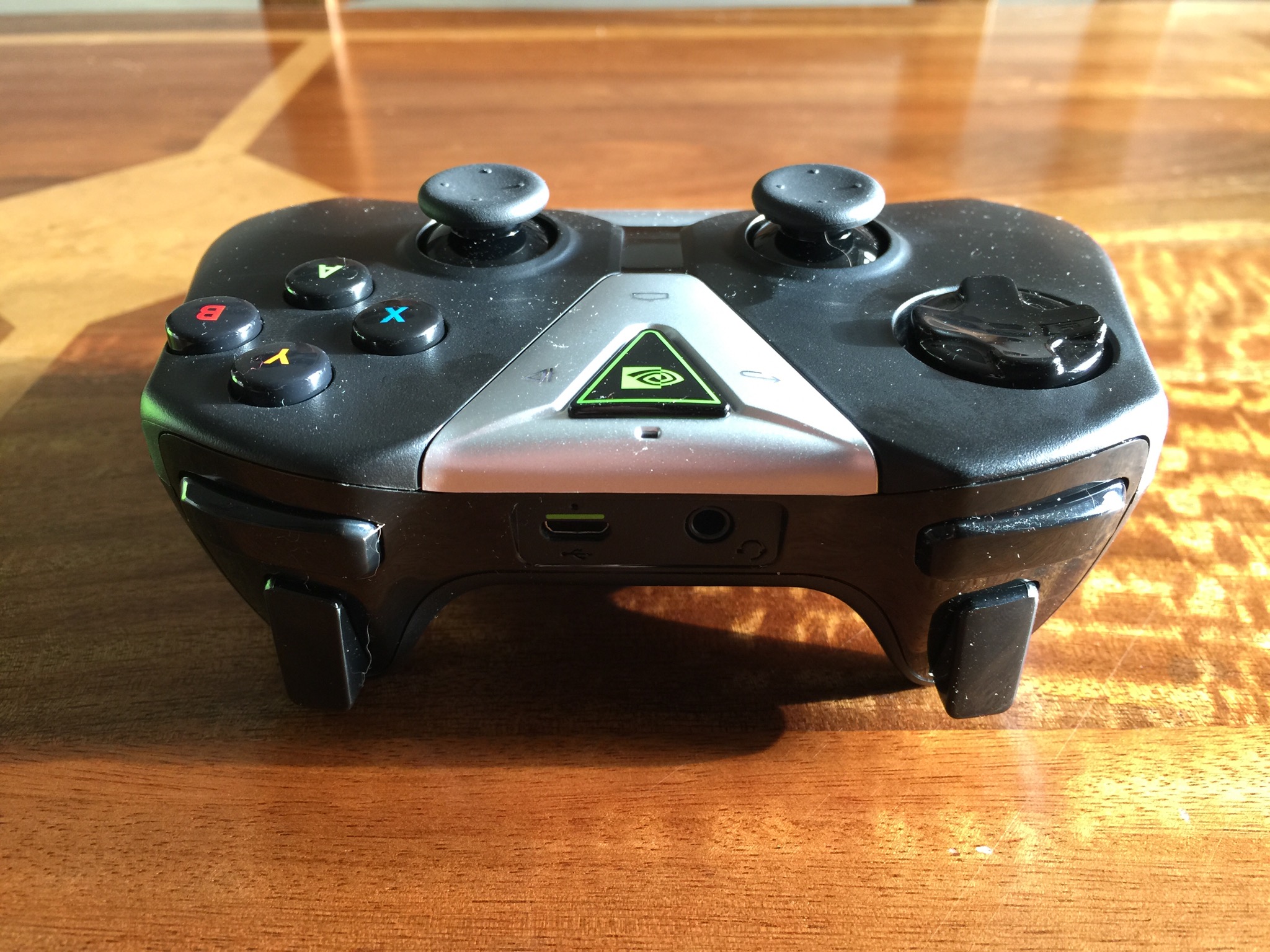
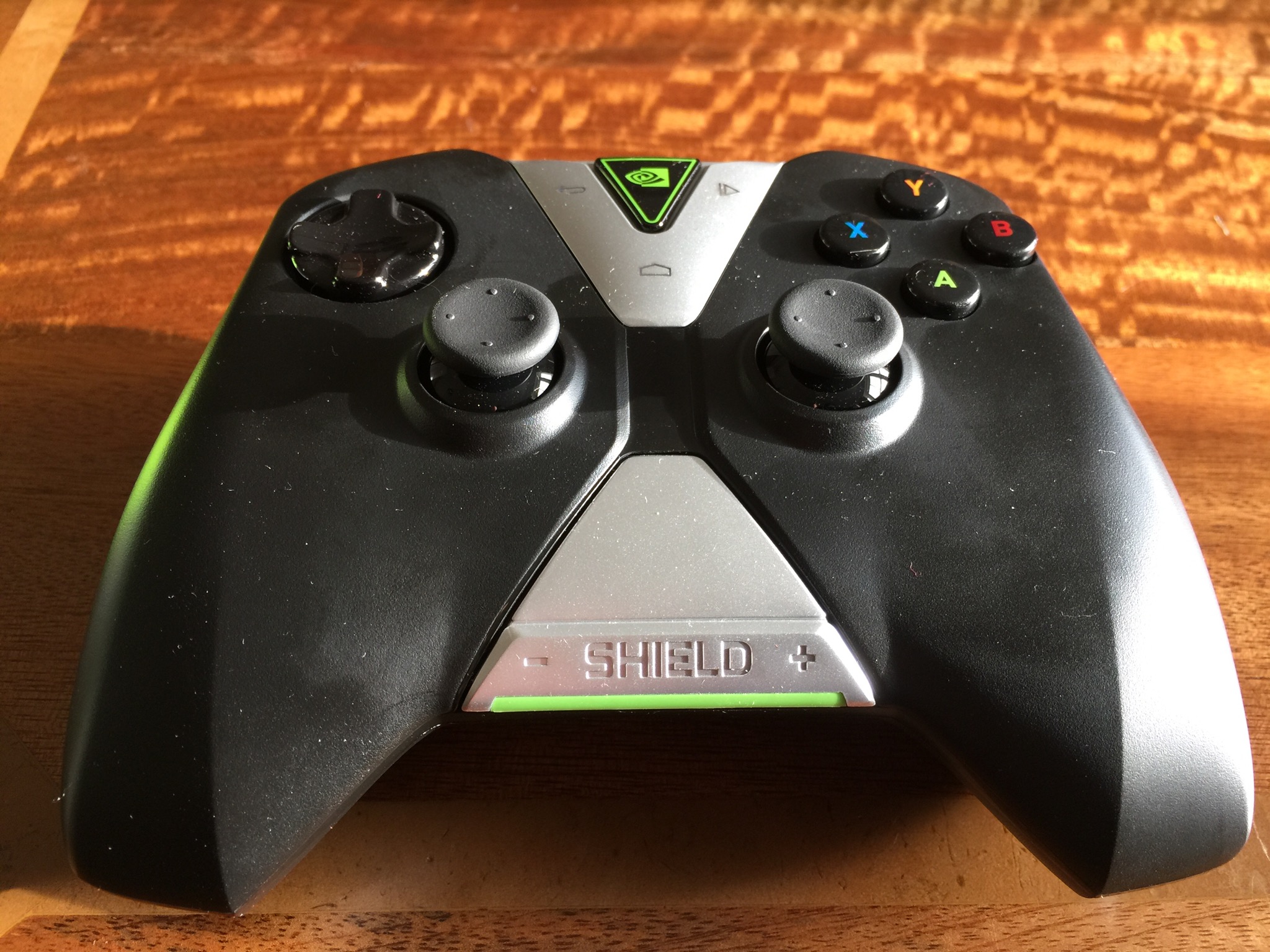
In another post today I reviewed the Apple game control!er by Moga. Well compared to the Nvidia controller, Moga and iOS are really embarrassed. First of all the Nvidia controller connects via WiFi instead of Bluetooth. This is done instantly via the Nvidia app. You use this app to connect a total of 4 controllers. However, with this controller not only does it provide an even faster seamless connection due to using Wi-Fi, it also enables voice search, headphones to be connected to it via the inbuilt jack, and includes android media controls. If that isn’t enough, for games that aren’t working with the controller out of the box, there is a game mapping app that allows you to map the keys swiftly. To give you some idea of the controller compatibility check out this HUGE list from Nvidia http://shield.nvidia.com/android-game-list/ Photos of controller at the end of the post.

So far I have found that games often have better graphics for the device over what I was used too. In many cases the games format and fill the screen better. Then there is the HDMI cable. Connect this to your TV and the tablet PC and decide between console or mirroring mode. Console mode is amazing. The tablet screen is turned off and the whole control is now via the game controller. And the game graphics on your TV are rather good too.

The tablet is great playing Half Life 2, Portal, Jet Set Radio, Emulators likes SNES, N64oid, FPSe, and PPSSPP. Other great games I have played include Table Top Racing, Shadowgun, T.E.C. 3001 and so many more.

Of course the gaming tablet is also a superb tablet. This post was typed on it for example. So apart from having all my games installed, normal apps and special Shield games, I have 6.9gb free of internal storage. If you intend to use the Shield tablet as a tablet, you can activate a number of power saving, processing saving modes. This will prolong the battery life, but there is also an insane mode, to crank the processor to full and enjoy gaming at its ultimate. As I discovered, at full processor mode the battery depletes much faster. The only saviour is if you have a HDMI cable attached and are using your TV as the screen, you can still charge the tablet and play.

More views as soon as I can escape playing Half Life 2!

Update – android lollipop is meant to be ready as soon as Google release it or very close too that date.

IMG_1079.JPG I

IMG_1080.JPG

Microsoft want to rule the Cloud – OneDrive just became a great offering

Microsoft has announced that all Office 365 subscribers are now eligible to receive unlimited storage on OneDrive for no additional cost. The rollout for Office 365 Home, Personal and University customers has begun and will continue over the coming months.

This represents great value and will now put pressure on Dropbox and Google on their respective storage platforms. Sadly I do not see Apple making it cloud offering as competitive for a while.