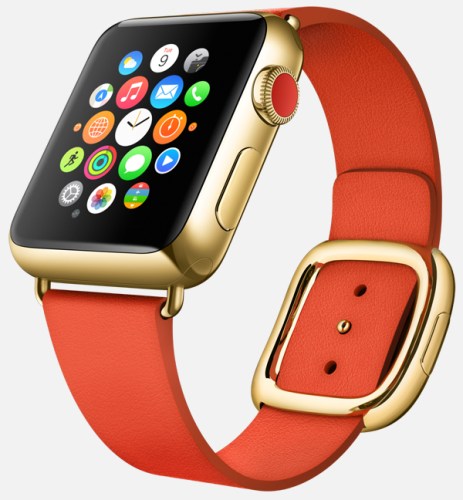
9to5mac.com has managed to get exclusive details on the new Apple Companion app that will control the upcoming Apple Watch.
Clock Functions:
A new clock face feature called Monogram has been added as a complication (a background detail you can choose to enable or disable). Like a real monogram, this feature will allow users to include a virtual, embedded stamp of 1-4 letters – typically your initials – directly on the clock face. This is an interesting customization, giving you the chance to make your watch look more individually designed.
Users will also be able to enable a subtle red dot that appears atop the Apple Watch’s clock face whenever a new notification is received on your iPhone.
You can choose a stock to track via a watch face complication, seeing either its current price, point change, percentage change, or market cap. The same stock will appear in Glances, as well.
Messages:
Lacking a keyboard, the Apple Watch will allow users to respond to messages via voice. As Apple has previously detailed, users can respond via either transcribed dictation or actual audio messages. The app can switch between Dictation or Audio Replies as the default mechanism for replying to text messages. You can also choose to use either form of reply at the time of the individual message.
Users will be able enable or disable Read Receipts, just like on the Mac, iPad, iPhone, and iPod touch.
Users will also be able to set up and manage default text replies for incoming text messages.
Users will also be able to choose to not receive text message alerts or just to receive them from people in their contacts list. Like on the iPhone, you can also choose how many alerts you get per individual incoming message.
Maps:
Users will be able to enable or disable Taptic Engine tapping of the user’s wrist when it is time to turn for turn-by-turn directions.
Activity, Motion & Fitness:
The Companion app will let you activate granular fitness features such as stand reminders when you’ve been sitting, activity progress every 4/6/8 hours, completion of move/exercise/stand goals, achievements, and Monday summaries of movement.
You can separately activate or deactivate heart rate tracking to automatically calculate calories burned, as well as tracking of your body movements to determine step counts and fitness level.
If you want to read more and see all the screen shots from this app I really do suggest heading over to 9to5mac.com – http://9to5mac.com/2015/01/13/apple-watch-iphone-companion-app-revealed-with-new-watch-features-monograms/
 Gavin's Gadgets & Photography