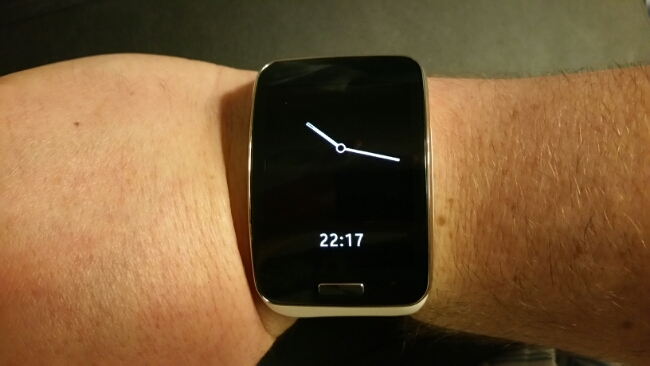
Within the Gear S settings app, select style and then clocks. You then have an option to keep the watch screen on all the time. I missed this setting for ages. The clock face goes black and white and looks different to the coloured watch face in use. Also dependant on the coloured watch face selected also changes the black and white always on face style. So for example some coloured watch faces go all digital, or all digital with different fonts etc… or all analogue. The digital and analogue black and white styles vary. This is a clever way of keeping the time visible and saving battery too.
Android Central recently reviewed the Gear S and stated it used a micro sim. Here’s the sim tray from my Gear S. It’s clearly a nano sim.
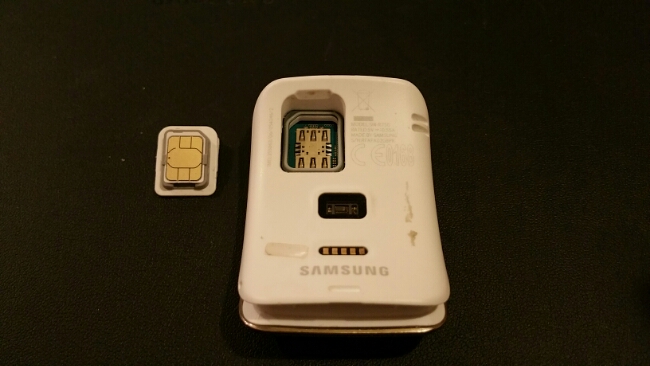
Sometimes I do wonder if some websites actually use the hardware properly before reviewing. Thanks to @martinkem for spotting this.
I’m still thoroughly enjoying using this watch with my Note 4.
 Gavin's Gadgets & Photography