Today, I am going to look at the keyboard, notes and the settings. First up is the note taking app which does more that just take notes.

You can add photos, files, voice recordings and more, and also share with ease.

So how does the keyboard work entering text in this situation. I was going to attach some more screen shots and photos, but if you really want to see how crazy clever and complex the Passport keyboard is, look at this instructional video from BlackBerry. In fact, this should be mandatory to watch for all Passport owners.
Moving on from the keyboard, lets have a close look at the settings app.
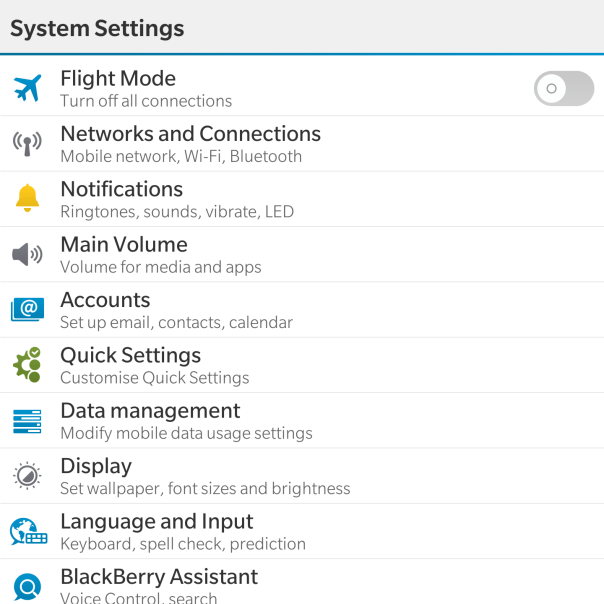
Now as the Passport features top of the range hardware it should come as no surprise that the settings menu is rather comprehensive.
With the Networks and Connections settings is options for Mobile Network (mode, data switch), WiFi, Bluetooth, VPN, NFC, Mobile Hotspot and Internet Tethering.
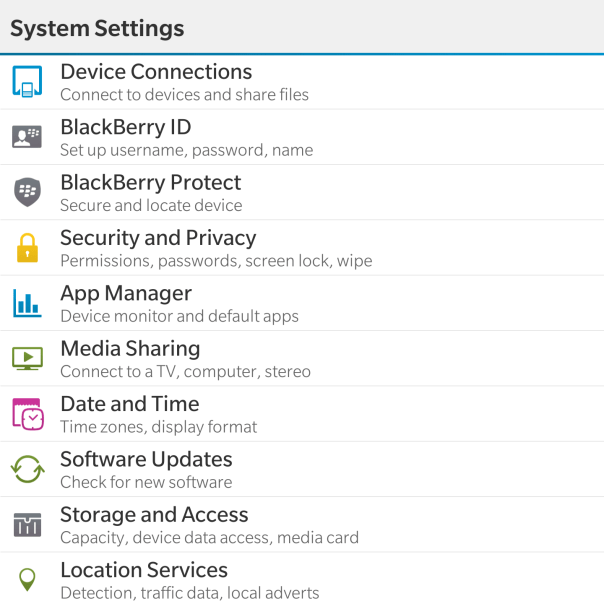
Within the Notifications, Main Volume, Accounts and Quick Settings there are no surprises really. Just your standard affair of options for controlling these parameters. Data Management displays data usage, setup for data limits, options to show a setting for email resizing and whether to download images automatically in emails. In fact most of the options are self explanatory and even provide text under the headings to assist you.

For my final thoughts so far, don’t forget to listen to the next episode due out on Sunday of “Gav & Dave’s Tech Podcast”.


1 thought on “BlackBerry Passport – Impressions – Part 6 – Keyboard”