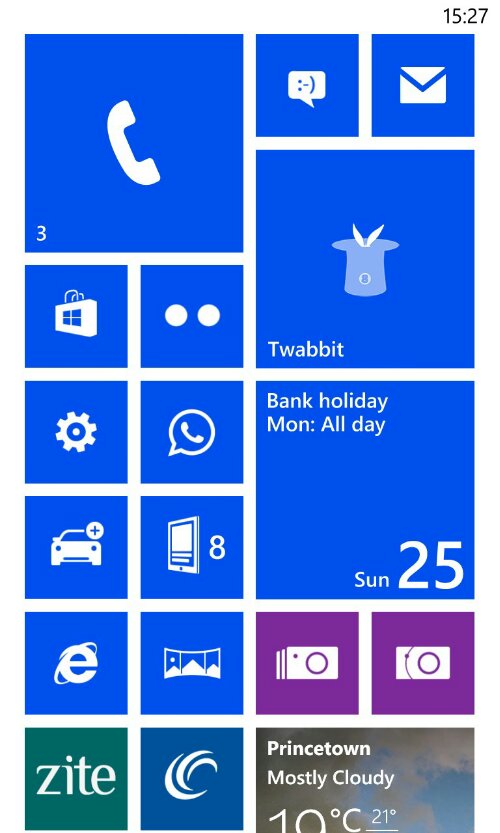
I am currently using the Nokia Lumia 925, and the only screen customisation is on the home screen. You can tweak the theme colour from white or black background.

After that you can decide what live tile to pin to the home screen and the size from a small square, large square or a rectangular shape that takes up the whole width.

In fact it is possible to spend a good few hours messing around with the look, colour and size options.

The beauty of the Windows Phone home screen is you only need a quick glance to see what’s happening or active or what notifications you have received via social networks, apps or messages. It is a very simple and clear way of viewing activities. I started with the phone app, email, sms, tweets, app.net, WhatsApp, calendar, marketplace, settings, news feeds, blog, Nokia Here Navigation and Maps, Internet Explorer, Nokia PRO and Smart Cam apps, weather, photos, weather, sport, news, podcasts and more. Most of these tiles update constantly providing at a glance information.
It certainly makes the home screen more engaging, than say static icons on the iPhone.

 Gavin's Gadgets & Photography