Ok, another day and another round of experiences. In no particular order.
1) Siri – what an improvement since my 5S days at the start of 2014. After 9 months without using Siri, you realise just how useful an assistant Siri becomes. In my car, I now have total handsfree and able to ask and get delivered requests that Google might struggle with. Yes Google is great for search related results. Google is also great with Google Now, although you do sacrifice all your privacy when using this service. I have asked Siri if I have any notifications. Siri responds reading a list of the notifications followed by the actual message within the notification, regardless to what type. So for example I had a severe weather warning of fog from the Met Office. Siri is like a personal assistant, and a decent one too.
2) I have set a countdown timer using Siri of course. Pressing the home button to turn on the screen reveals the time left of the timer under the clock. A simple idea but useful. If the iPhone is plugged in, just say, “Hey Siri, how much time is left on the countdown timer” and you get the answer.
3) Low light shots – I was impressed with the low light shots from the 6 Plus. These photos were not staged, setup with a tripod. These were simply a quick snap and drive off. I would have loved to spent a bit of time, using Camera+ and its manual controls to see what could be achieved.
4) Apple Maps was a total disaster. But last night it navigated me home, something it was unable to do 9 months ago. In fact, the experience is a lot better, with easier to follow turn by turn navigation than Google Maps. However, Google Maps is still far superior.
5) Standby battery – overnight dropped 1% in 6 hours. Not too bad considering I have 130 plus apps installed, all undertaking background services including many with location checking.
6) I pumped music from the 6 Plus into my cars aux port. I know I have mentioned it before, but its fantastic.
7) Photos – automatic syncing across all devices- not sure this works as advertised yet. Maybe iCloud Drive is confusing matters. I don’t like that the synced photo that appears magically on another device cannot be seen or edited by another app, unless you save a duplicated copy. Not sure this is a good implementation. Also there appears to be delays in photo syncing or sometimes not all photos get synced across. I have not got to grips with what is happening and why yet.
8) 240fps slow mo. This does not work via Airplay to an Apple TV. Share it on to an iCloud Photo album and it is playable!
9) Hardware silencer. Simple yet effective. Just slide the button on or off.
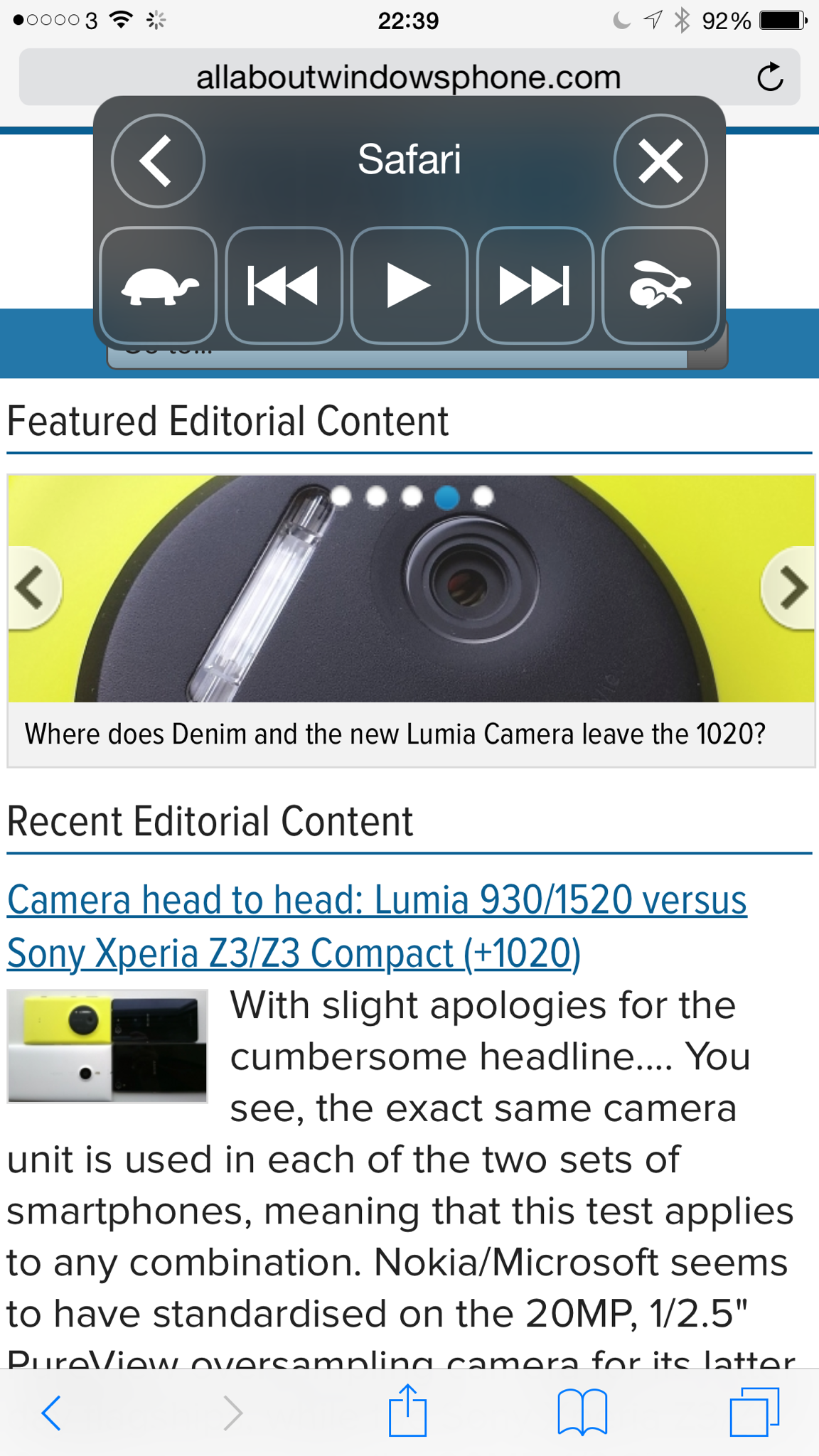
10) Accessibility- there are some great options in the settings under this category. One of my favourite is reading the screen aloud. After turning on just use two fingers and swipe down from the top of the screen to the bottom. This is what you get.
 Gavin's Gadgets & Photography