This is a really neat trick , and doesn’t require any jailbreak. This YouTube video shows you how.
So to recap, these are the quick and easy steps.
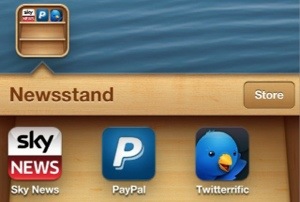
Step 1: Place the Newsstand folder anywhere on the second page of the Home screen.
Step 2: Place the apps that you would like to move into the Newsstand folder on the third page of the Home screen.
Step 3: Swipe to the third page of the Home screen containing the apps that you would like to move.
Step 4: Press the Home button once, and then immediately tap and hold on the app that you wish to move.
Step 5: Continue holding on the screen until the Home screen moves to the first page due to your press of the Home button.
Step 6: Release your hold on the screen and immediately swipe back to the second page containing the Newsstand folder
Step 7: If the trick worked correctly, then you should see wiggle mode enabled.
Step 8: Tap on the Newsstand folder to open it, and then press the Home button once to close it.
Step 9: You should see the app that you tapped and held on in Step 4 move into the Newsstand folder.
 Gavin's Gadgets & Photography